❌

Lese-Ansicht

AMD drops an EPYC $15,000, 256-core beast

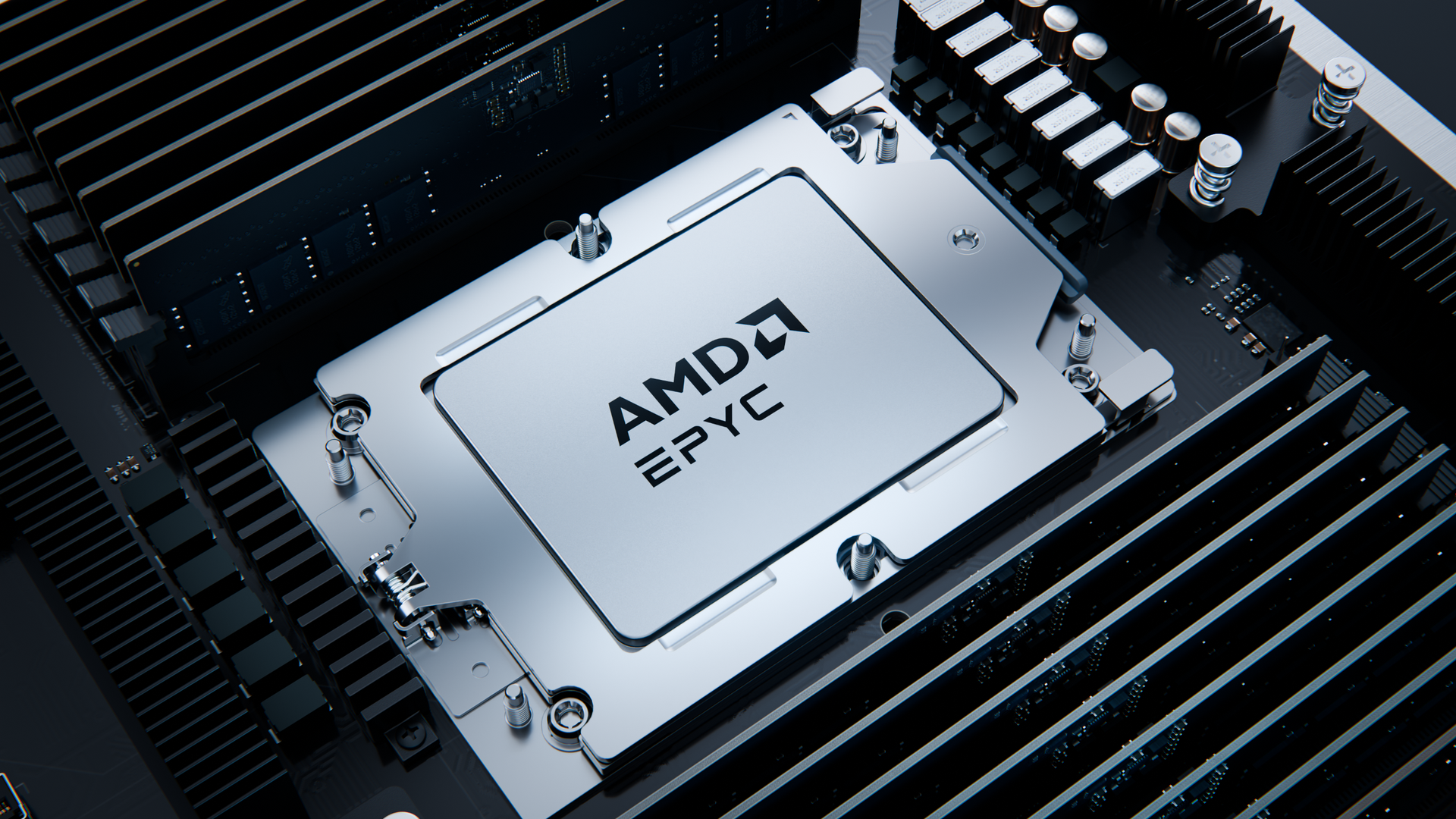
After unveiling the EPYC 9006 (codenamed Venice) series in July and previewing a few impressive Zen 6 benchmarks, AMD has now released full pricing for its highly anticipated next-generation server chips. According to the list StorageReview obtained, AMD has big plans for the data center, with a wide range of SKUs from eight to 256 cores and pricing from $700 to $14,904.
As a quick refresher, AMD strategically divided the Venice lineup into two distinct segments. The SP7 platform is the flagship offering, delivering maximum memory capacity and throughput. It supports up to 16 memory channels, accommodating both RDIMMs and MDRDIMMs up to DDR5-12800. The platform offers up to 96 PCIe 6.0 lanes and supports Venice chips with TDPs between 400W and 600W.

The Venice parts designed for the SP7 socket offer scalable performance for enterprises. The lineup begins with the 64-core EPYC 9556, priced at $8,008, and extends to the flagship 256-core EPYC 9996, which commands $14,904. In retrospect, the EPYC 9996's price tag does not seem particularly shocking, especially since the previous-generation EPYC 9965 (codenamed Turin) launched at nearly the same price, around $14,800.

As is typical for server processors, the total price increases as the number of cores rises. However, the price per core actually decreases substantially as you move up the core ladder. The pricing dynamic is very notable with Venice. For example, the flagship EPYC 9996, with a massive 256 cores, comes out to just $58.21 per core, whereas the "entry-level" SP7 chip, the 64-core EPYC 9556, costs around $125.12 per core. As a result, higher core-count models are more attractive from a per-core value perspective for data centers, cloud service providers, and enterprises.

AMD EPYC 9006 SP7 Specifications and Pricing

Processor

1Ku Price

Cores / Threads

Base / Boost Clock (GHz)

L3 Cache (MB)

Socket

TDP (W)

EPYC 9996

$14,904

256 / 512

2.55 / 4.10

1,024

1P / 2P

600

EPYC 9966

$14,079

192 / 384

2.90 / 4.00

768

1P / 2P

600

EPYC 9846

$13,114

168 / 336

2.85 / 3.70

768

1P / 2P

500

EPYC 9756

$12,498

128 / 256

3.15 / 4.00

512

1P / 2P

500

EPYC 9G76

$11,622

96 / 192

3.40 / 4.80

384

1P / 2P

500

EPYC 9686F

$11,434

96 / 192

3.40 / 5.00

384

1P / 2P

500

EPYC 9656

$9,713

96 / 192

3.05 / 3.70

512

1P / 2P

400

EPYC 9586F

$9,701

64 / 128

3.75 / 5.00

384

1P / 2P

500

EPYC 9556

$8,008

64 / 128

2.75 / 4.30

384

1P / 2P

300

The SP7 SKUs support both 1P and 2P socket configurations. The latter, in particular, enables up to 512 Zen 6 cores in one system by pairing two EPYC 9996 chips on a single motherboard. That level of performance logically comes with a substantial investment, since the processors alone would cost $29,808 before factoring in the significant expense of memory today.

Among the nine SP7 SKUs, two models in particular stand out: the EPYC 9686F and EPYC 9586F. The "F" suffix means these chips feature maximum boost clock speeds, in this case, 5 GHz. While both are impressive in their own right, AMD optimized these parts to hit 5 GHz. Naturally, this level of optimization carries a price premium. For example, the 64-core EPYC 9586F costs almost as much as the 96-core EPYC 9656, despite offering 33% fewer cores. The trade-off is also apparent in the thermal envelope. The EPYC 9586F has a TDP that is 100W higher than the EPYC 9656.

AMD EPYC 9006 SP8 Specifications and Pricing

Processor

1Ku Price

Cores / Threads

Base / Boost Clock (GHz)

L3 Cache (MB)

Socket

TDP (W)

EPYC 9746

$11,679

128 / 256

2.90 / 4.00

512

1P / 2P

400

EPYC 9736

$10,639

128 / 256

2.70 / 3.70

256

1P / 2P

360

EPYC 9736P

$9,989

128 / 256

2.70 / 3.70

256

1P

360

EPYC 9676F

$10,116

96 / 192

3.10 / 5.00

384

1P / 2P

400

EPYC 9646

$8,904

96 / 192

2.80 / 3.70

256

1P / 2P

300

EPYC 9646P

$8,001

96 / 192

2.80 / 3.70

256

1P

300

EPYC 9576F

$9,431

64 / 128

3.55 / 5.00

384

1P / 2P

400

EPYC 9536

$7,837

64 / 128

3.25 / 4.00

256

1P / 2P

300

EPYC 9526

$7,123

64 / 128

2.75 / 3.70

256

1P / 2P

220

EPYC 9536P

$6,595

64 / 128

3.25 / 4.00

256

1P

300

EPYC 9476F

$6,695

48 / 96

3.65 / 5.00

192

1P / 2P

330

EPYC 9456

$5,252

48 / 96

3.20 / 3.70

256

1P / 2P

265

EPYC 9456P

$4,628

48 / 96

3.20 / 3.70

256

1P

265

EPYC 9376F

$4,849

32 / 64

3.80 / 5.00

192

1P / 2P

285

EPYC 9356

$3,789

32 / 64

3.60 / 4.50

192

1P / 2P

250

EPYC 9336

$3,320

32 / 64

3.15 / 3.70

128

1P / 2P

195

EPYC 9356P

$2,795

32 / 64

3.60 / 4.50

192

1P

250

EPYC 9276F

$3,512

24 / 48

3.80 / 5.00

96

1P / 2P

230

EPYC 9256

$2,501

24 / 48

2.85 / 4.50

96

1P / 2P

190

EPYC 9176F

$3,787

16 / 32

3.90 / 5.00

192

1P / 2P

200

EPYC 9116

$1,200

16 / 32

2.85 / 4.50

48

1P / 2P

160

EPYC 9016

$700

8 / 16

3.05 / 4.80

48

1P / 2P

130

The SP8 platform is a more streamlined and cost-effective counterpart to the SP7 platform for the Venice family. It supports eight-channel memory and does not embrace MRDIMMs. However, the limitation balances out by expansion possibilities, as the SP8 platform offers 128 PCIe 6.0 lanes, 33% more than the SP7 platform. Additionally, the SP8 platform has a lower thermal footprint, as these Zen 6 parts carry TDP ratings between 130W and 400W.

The SP8 platform offers an accessible entry point for organizations, with the octa-core EPYC 9106 priced at just $700. At the other end of the spectrum, the EPYC 9746, which is the top SP8 SKU, offers 128 Zen 6 cores at $11,679.

With the SP8 platform, we also see Zen 6 models with the “P” suffix, which indicates support for single-socket systems only. These variants deliver the same performance as their standard counterparts but at a significantly lower price. For example, the 128-core EPYC 9736P is 6% less expensive than the EPYC 9736. In an even more dramatic case, the 32-core EPYC 9356P retails for 26% less than the EPYC 9356.

One of the more unusual Venice chips is the 16-core EPYC 9176F. Despite its modest core count, it features a massive 192MB of L3 cache, 4X that of the 16-core EPYC 9116, while costing more than 3X as much. This translates to 12MB of L3 cache per core. With its high cache capacity and 5 GHz boost clock, AMD likely designed the EPYC 9176F for organizations seeking to minimize licensing costs for software priced per core.

AMD’s SP7 and SP8 platforms are scheduled to launch in the fourth quarter of this year and the first half of 2027, respectively. However, these Venice prices are not final, as AMD has stated that the list is subject to change. AMD will extend the lineup further later in 2027 with Venice-X chips, which use the company's 3D V-Cache stacking.
  •  

Early AMD 'Gorgon Halo' AI mini-PC packs 192GB RAM for an eye-watering $7,099

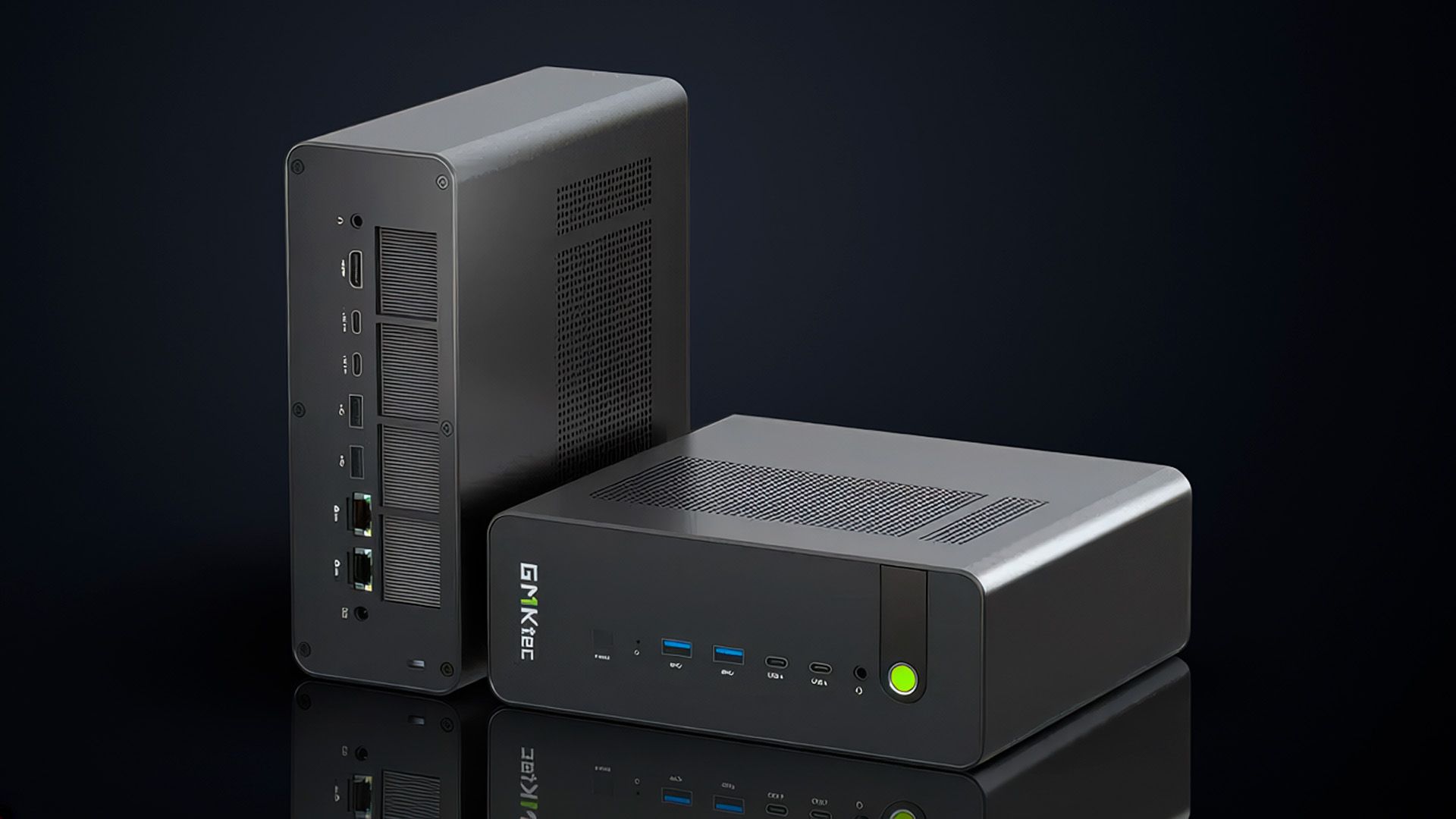
GMKtec has launched the Evo-X5 Pro, its latest agentic AI mini-PC, featuring AMD's flagship Ryzen AI Max+ Pro 495 processor and 192GB of LPDDR5X-8533 memory. The model with a 2TB PCIe 4.0 SSD retails at $6,799, while the 4TB model will set consumers back $7,099.

The Evo-X5 Pro launches today to go head-to-head with rivals, such as Acemagic’s F9A and Minisforum’s MS-S1 Max-P495, which use similar recipes: AMD's Ryzen AI Max+ Pro 495. The processor is the most performant SKU from the Ryzen AI Max+ 400 (codenamed Gorgon Halo) family. Unlike the regular Ryzen AI 400 (codenamed Gorgon Point) series, which uses a hybrid Zen 5 and Zen 5c setup, Gorgon Halo keeps only the full-size Zen 5 cores and drops the space-efficient Zen 5c cores.

Armed with 16 Zen 5 cores and 32 threads, the Ryzen AI Max+ Pro 495 stands out as a powerhouse in the mobile segment. It boasts a 3.1 GHz base clock, 5.2 GHz boost clock, and 64MB of L3 cache. The 16-core, 55W chip is essentially the mobile version of the renowned Ryzen 9 9950X (though with a far lower power budget). With abundant processing power, it is easy to see why the Ryzen AI Max+ Pro 495 is the elected candidate for these agentic AI mini-PCs.

The Evo-X5 Pro supports three performance profiles for the Ryzen AI Max+ Pro 495. The silent and balanced modes keep the chip at 54W and 85W, respectively, while performance mode allows up to 120W sustained and 160W peak. The mini-PC features a vapor chamber cooling system to keep the hardware cool, along with one 80 x 80 x 15mm system fan and two other 80 x 80 x 30mm cooling fans.

GMKtec Evo-X5 Pro Specifications and Pricing

Model

Super Early Bird Pricing

Early Bird Pricing

Regular Pricing

Processor

Memory

SSD

Evo-X5 Pro

$6,699

$6,899

$7,099

Ryzen AI Max+ Pro 495

192GB LPDDR5X-8533

4TB PCIe 4.0

Evo-X5 Pro

$6,399

$6,599

$6,799

Ryzen AI Max+ Pro 495

192GB LPDDR5X-8533

2TB PCIe 4.0

The Ryzen AI Max+ Pro 495 supports up to 192GB of LPDDR5x-8533 memory, pushing past the 128GB available on Nvidia's GB10 chip and AMD's previous Strix Halo chips. Eight 24GB chips are soldered to the motherboard in close proximity to the Ryzen AI Max+ Pro 495. Gorgon Halo pairs the 192GB of LPDDR5X-8533 memory with a 256-bit interface to maximize memory bandwidth for local AI. This configuration delivers up to about 273 GB/s of bandwidth. Meanwhile, the Evo-X5 Pro enables allocations of up to 160GB to serve as VRAM for large AI LLM models.

GMKtec sells the Evo-X5 Pro with a 2TB or 4TB PCIe 4.0 SSD. The price difference is $300. It is a shame the company doesn't offer a bare-bones version of the Evo-X5 Pro, since some enthusiasts could reuse their existing drives or buy a new SSD at a lower price. The mini-PC has three PCIe 4.0 M.2 slots for PCIe-based drives, so users can have up to 24TB of fast storage. However, only two M.2 slots run at x4, while the third is limited to x1.

Super early bird and early bird customers are eligible for 6% and 3% off, respectively. Consumers can get the 4TB and 2TB versions for as low as $6,699 and $6,399, respectively. To further incentivize early adopters, only the first 30 units of the Evo-X5 Pro are eligible for super early-bird pricing. GMKtec includes a complimentary three-month subscription to the Z.ai coding plan and a 1.5X return in GMKtec Points.
Existing owners of the Evo-X2 and Evo-X3 models are eligible for an exclusive $50 discount on the Evo-X5 Pro when they use the X5P39550 EDM code at checkout.

In addition to its early-bird and upgrade offers, GMKtec is trying to seduce buyers with bulk-purchase discounts for the Evo-X5 Pro. However, these "offers" sound like a joke. Buying two, three, or five units nets consumers $10, $20, and $40 in discounts, respectively. If you are spending $32,995 on hardware, you would expect more than a meaningless 0.12% discount, but apparently GMKtec does not see it that way.

  •  

27-year-old GTA 2 gets full path tracing and 60 FPS frame generation via RTX Remix

While gamers wait for the release of Grand Theft Auto VI, whether on their consoles or gaming PCs with one of the best graphics cards, they can relive one of the franchise's most memorable titles. Modder gebdag has unveiled GTA2 RTX Remix, a mod that harnesses Nvidia’s RTX Remix technology to add full path tracing and dynamic time-of-day cycles to the 27-year-old classic, Grand Theft Auto 2.

Grand Theft Auto 2, released in 1999, used older graphics APIs such as DirectDraw and an earlier version of Direct3D. The problem is that these legacy APIs create a technical barrier to modern technologies like RTX Remix. Nvidia's platform lacks native support for DirectDraw and only plays well with Direct3D 9. It requires a wrapper to interface with previous versions of Direct3D, which is where the GTA2 RTX Remix comes in.

Modder gebdag ingeniously developed a custom Direct3D 9 renderer for Grand Theft Auto 2. It acts as a generational bridge between the original game and Nvidia’s RTX Remix. To do so, the mod relies on two DLLs (gta2dx9.dll and gta2dx9_vid.dll) that serve as translators, converting the game's legacy graphics pipeline into a modern Direct3D 9 renderer that RTX Remix can understand. As a result, RTX Remix can interpret Grand Theft Auto 2's visuals in real time and do its magic.

As you can see in the embedded video below, the mod preserves the core gameplay fans will appreciate while adding a dramatic graphic overhaul to the classic top-down action title. Anywhere City now looks like a living metropolis, with realistic lighting and shadow effects throughout. The dynamic day-night cycle is a great addition that lets you see the sun set and the moon rise. Things like explosions, vehicle fires, or neon signs now have their own light sources with glows and reflections. Press F4 to open the menu and tweak the lighting to your taste.

Here comes a GTA2 RTX Remix mod with full path tracing + dynamic time of day! From modder gabdeg 🤯 pic.twitter.com/dZ0eMyIfmsSeptember 25, 2026

The graphics revamp is just one of the mod’s improvements. Beyond the eye-candy upgrade, it also adds other features to bring Grand Theft Auto 2 up to modern standards. While the original was limited to a 4:3 native aspect ratio, the mod supports widescreen 16:9 displays, giving gamers a more immersive view of Anywhere City. The mod also improves gameplay by adding support for frame rates up to 60 FPS through Frame Generation technology. It also fixes the nuisance of cars and pedestrians popping in at the screen edges.

GTA2 RTX Remix is an open-source project available on GitHub. To use the mod, you will need a copy of Grand Theft Auto 2. The modder tested it specifically with version 9.6, which Rockstar Games distributed for free in 2004. You will also need a 64-bit version of Windows 10 or Windows 11, along with the required RTX Remix runtime files.

RTX Remix has opened the floodgates to a plethora of mods from studios and the modding community that transform some of the most beloved games from our childhood. Now, Grand Theft Auto 2 has joined this notable list, which also includes Need For Speed Carbon, Tomb Raider, Max Payne, and The Elder Scrolls III: Morrowind, to name just a few.

  •  

Nvidia DLSS 5 power draw hits 647W as power connector runs hotter than the GPU die, upscales frame rates and flame temps on 16-pin

There is no doubt the GeForce RTX 5090 is one of the best graphics cards and has the full potential to leverage DLSS 5. However, if you plan to hop on the DLSS 5 bandwagon, you may want to keep an eye on your graphics card's temperatures and power consumption. According to tests by Korean outlet QuasarZone, the GeForce RTX 5090 Founders Edition peaked at nearly 650W in power draw, with the highest recorded temperature on the 16-pin (12VHPWR) power connector exceeding 90 degrees Celsius. Notably, that is higher than the standard temperatures measured for the GPU die.

While less frequent, user reports of the 16-pin power connector melting are still popping up if you look around the Internet, particularly on Reddit. Even a couple of media outlets have also encountered power connector meltdowns during their use. So, it is not an issue that affects only new users; 16-pin power connector failures extend to seasoned industry veterans, too. There is no prejudice toward Nvidia's Blackwell-powered graphics cards, either. Similar meltdowns have appeared on AMD Radeon graphics cards. Running DLSS 5 may just be adding fuel to the fire, figuratively.

QuasarZone ran Cyberpunk 2077 in a controlled environment at 27.5 degrees Celsius for 20 minutes. The publication used a 4K (3840x2160) resolution with DLSS Quality and Ultra image settings and monitored the temperature of the 16-pin power connector. The media outlet tested the GeForce RTX 5090 Founders Edition, Asus ROG Astral GeForce RTX 5090, and GeForce RTX 5080 Founders Edition.

Nvidia DLSS 5 Impact On 16-pin Power Connector Temperatures

Graphics Card

DLSS 5 Off (Celsius)

DLSS 5 On (Celsius)

Temperature Increase

GeForce RTX 5090 (Latch Side)

77.1

83.4

8%

GeForce RTX 5090 (Opposite Side)

80.9

91.7

13%

GeForce RTX 5080 (Latch Side)

45.8

52.2

14%

GeForce RTX 5080 (Opposite Side)

47.6

48.6

2%

In the first round of testing using a GeForce RTX 5090 Founders Edition with DLSS 5 disabled, QuasarZone measured 77.1 degrees Celsius on the latch side of the 16-pin power connector and 80.9 degrees Celsius on the opposite side. With DLSS 5 enabled, the temperatures quickly jumped to 83.4 and 91.7 degrees Celsius, respectively.

Before DLSS 5, the average core and peak temperatures for the GeForce RTX 5090 were 79.4 and 82.3 degrees Celsius, respectively. Afterward, they increased to 83 and 86.3 degrees Celsius. As a result, the 16-pin power connector was the hottest spot on the GeForce RTX 5090.

In contrast, the GeForce RTX 5080 Founders Edition ran at significantly lower, more manageable temperatures. Before activating DLSS 5, the temperature on the latch side and opposite the 16-pin power connector registered 45.8 and 47.6 degrees Celsius, respectively. With DLSS 5, the temperatures rose to 52.2 degrees Celsius on the latch side and 48.6 degrees Celsius on the opposite side. The results were not a surprise, since the GeForce RTX 5080 consumes less power than the GeForce RTX 5090.

Nvidia DLSS 5 Impact On Graphics Card Power Consumption

Graphics Card

DLSS Off (Watts)

DLSS On (Watts)

Power Draw Increase

GeForce RTX 5090

509.2

575.1W

13%

GeForce RTX 5080

298.2

350.3

17%

Using HWiNFO to measure average power consumption, the GeForce RTX 5090 showed a 13% increase in power draw with DLSS5 enabled. By contrast, the GeForce RTX 5080 showed a 17% increase in average power consumption under the same conditions. Despite these notable increases, both cards seemingly stayed within their official TDP specifications, with the RTX 5090 rated at 575W and the RTX 5080 at 360W.

HWiNFO uses a software-level API to poll power metrics from the graphics card's telemetry sensors. While it is sufficient for everyday monitoring, nothing is more accurate than measuring power directly from the circuit board. The Nvidia Power Capture Analysis Tool (PCAT) is perfect for that.

Graphics Card

DLSS Off (Watts)

DLSS On (Watts)

Power Draw Increase

GeForce RTX 5090 (Peak)

582.5

658.0

13%

GeForce RTX 5090 (Average)

527.3

593.9

13%

16-pin Power Connector

582.7

646.7

11%

QuasarZone found that the GeForce RTX 5090's average and peak power draw increased by 13%, effectively exceeding the graphics card's power limit. The average power consumption readings differed by 3% between HWiNFO and PCAT.

Focusing primarily on the 16-pin power connector, QuasarZone's PCAT measurements showed a 582.7W power draw without DLSS 5 and 646.7W with it on, representing an 11% increase.

While 658W sounds scary, it does not compare to what we have seen on custom GeForce RTX 5090 models. On the GeForce RTX 5090 32G Lightning Z with DLSS 5, we observed the graphics card's power consumption spike to 592W at 1080p, 695W at 1440p, and 848W at 4K.

Using the Asus ROG Astral RTX 5090 as a test subject, QuasarZone recorded the current flowing through each of the six power pins from the 16-pin power connector. Before enabling DLSS 5, the power readings ranged from 6.94A to 7.47A. When activated, the power readings spiked to between 7.83A and 8.51A. While the values remained within PCI-SIG’s requirement of 9.2A per pin, headroom is extremely thin, with just 0.69A between the highest recorded current and the official threshold.

In another simulation, the Korean media outlet explored the consequences of a loose pin or improper connection in the 16-pin power connector. This is the most common scenario that leads to 16-pin power connector meltdowns, due to unbalanced power loading across the connector. With one nonfunctional power pin, the electrical load is redistributed to the remaining pins.

With DLSS 5 off, the highest current registered on a single pin reached 8.9A. This value remains uncomfortably close to PCI-SIG's standard. However, turning on DLSS 5 pushed the power pins to 10.1A, 10% above the specification. The simple test highlights just how easily and quickly things can go wrong.
QuasarZone's alarming test results may look like fuel for fearmongering. However, the publication's tests align closely with our findings that DLSS 5 substantially increases power consumption. At least one user has allegedly reported a 16-pin power connector meltdown while experimenting with DLSS 5.
  •  

China’s ultimate gaming GPU hits a performance wall

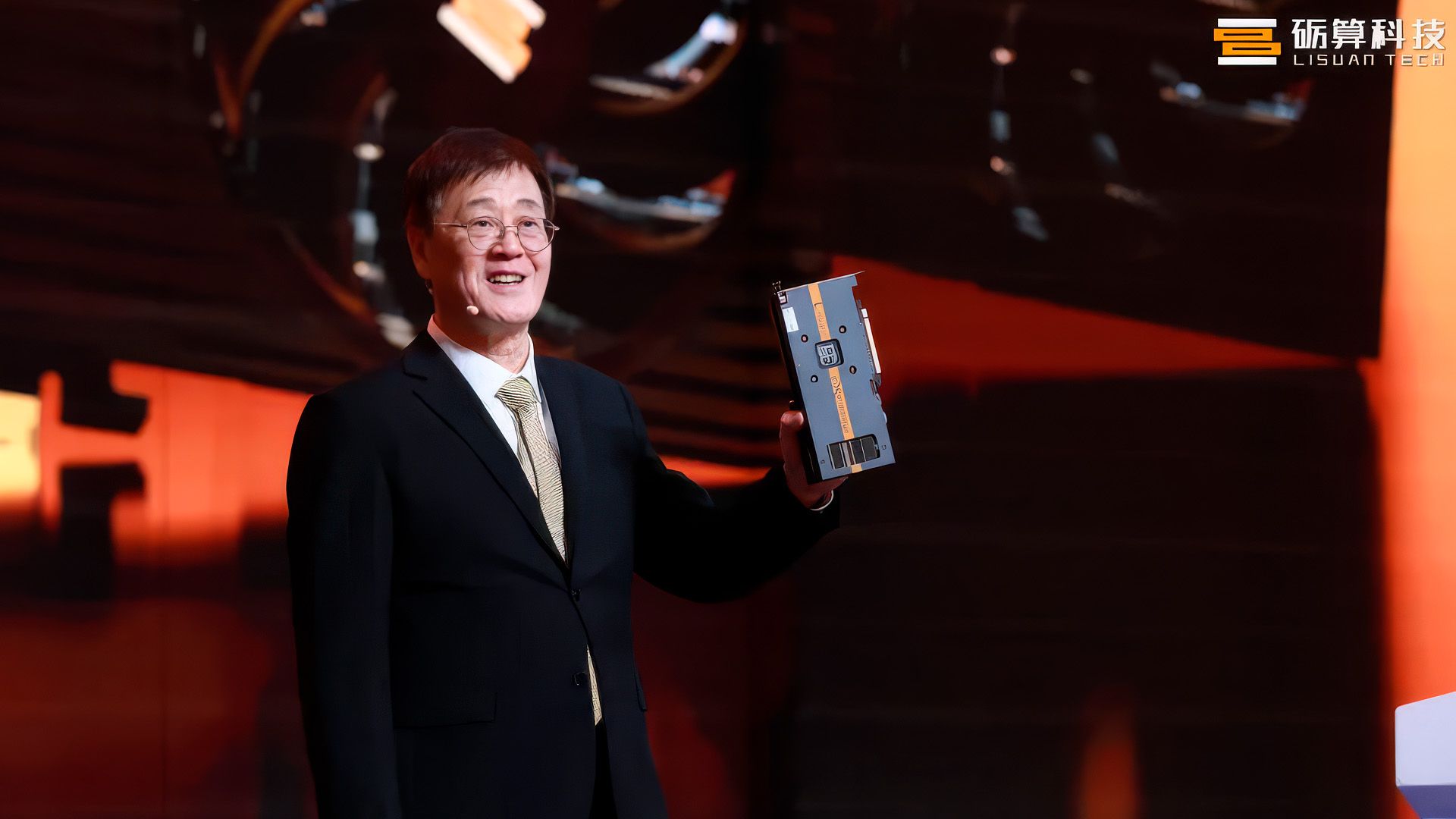
Despite strong launch sales, the Lisuan Tech LX 7G100 was clearly more of a domestic win for China than a contender against the best graphics cards on the market. Recent benchmark results published by German outlet PC Games Hardware (PCGH) show that the Chinese-made LX 7G100 still has a long way to go, offering only comparable performance to the nine-year-old Radeon RX 580 — but trailing by as much as 35% behind the seven-year-old GeForce RTX 2060.

Originally touted as a competitor to the GeForce RTX 4060, the LX 7G100 hit the market with high expectations. Initial benchmarks, however, quickly dispelled much of the early hype. Now, four months after its launch and following several driver updates, we once again see the LX 7G100 in the spotlight, but despite ongoing driver refinements, the graphics card's performance looks like it has flatlined.

The LX 7G100’s current performance closely matches AMD’s Radeon RX 580 and delivers a modest 5% boost over the Polaris-based card. It also outpaces Nvidia’s GeForce GTX 1060 6GB by a notable 23%. In its current state, the LX 7G100 does not have what it takes to challenge more modern models in the upper echelon of the mid-range graphics card market.

The LX 7G100 lags by more than 2.2X behind current models, such as the GeForce RTX 4060 or GeForce RX 5050. When benchmarked against the latest GeForce RTX 5060, the LX 7G100 delivers only about a third of the performance. An obvious technological gap remains between Lisuan Tech and industry giants such as Nvidia, AMD, and even Intel, and it still has a lot of catching up to do.

Lisuan Tech LX 7G100 Benchmarks

Graphics Card

14 Game Performance Index

Relative Performance Versus GeForce RTX 5060

GeForce RTX 5060

33.0

100%

Arc B580

31.6

96%

Radeon RX 9060

31.2

94%

Radeon RX 7600 XT

28.8

87%

Arc A770 16GB

27.1

82%

Arc B570

26.8

81%

Radeon RX 7600

25.8

78%

GeForce RTX 4060

25.2

76%

GeForce RTX 5050

24.9

75%

GeForce RTX 3060 12GB

23.3

71%

Radeon RX 5700 XT

22.1

67%

GeForce GTX 1080 Ti

21.7

66%

Radeon RX 6600

20.0

61%

GeForce RTX 2060

17.2

52%

LX 7G100

11.1

34%

Radeon RX 580

10.6

32%

GeForce GTX 1060 6GB

9.0

27%

In its defense, the LX 7G100 has already cleared one of the biggest hurdles that typically hinder Chinese chipmakers: driver support. Many graphics cards from emerging Chinese manufacturers have historically suffered from poor compatibility and software support. Lisuan Tech not only became the first Chinese chipmaker to obtain WHQL support for a graphics card, but the LX 7G100 launched with stable DirectX 12 gaming compatibility from the get-go. This alone has enabled the LX 7G100 to run a wide variety of modern games, including Cyberpunk 2077, Clair Obscur: Expedition 33, Assassin’s Creed Shadows, and Battlefield 6, to name a few.

Lisuan Tech is clearly committing to improving its drivers. In the past four months alone, the Chinese chipmaker has rolled out three WHQL-certified driver updates. Drivers take time to mature, and given that the LX 7G100 has not even been on the market for a year, it is unreasonable to expect Lisuan Tech to match decades of expertise like Nvidia and AMD.

From a hardware standpoint, the LX 7G100, which leverages TSMC’s N6 FinFET process node, is not a bad graphics card. The silicon houses 6,144 shading units and clocks up to 2,000 MHz to deliver a peak FP32 performance of 24.5 TFLOPs. The LX 7G100's 12GB of GDDR6 memory runs across a 192-bit memory interface to provide a maximum bandwidth of up to 432 GB/s. On paper, these metrics place the LX 7G100 close to the GeForce RTX 3060 12GB or Radeon RX 6700 XT. Currently, the GeForce RTX 3060 12GB is twice as fast as the LX 7G100.

A 2X performance gap is certainly not something that's easy to close. Who knows just how much is left in the tank for the LX 7G100. Maybe Lisuan Tech has already pushed the hardware to its limits, or maybe some driver magic will put the LX 7G100 a few steps closer to the GeForce RTX 3060 12GB. Only time will tell, and it will be interesting to revisit the LX 7G100 in a few months' time.

  •  

Beat the Switch 2 storage crisis with this $99 512GB microSD Express card

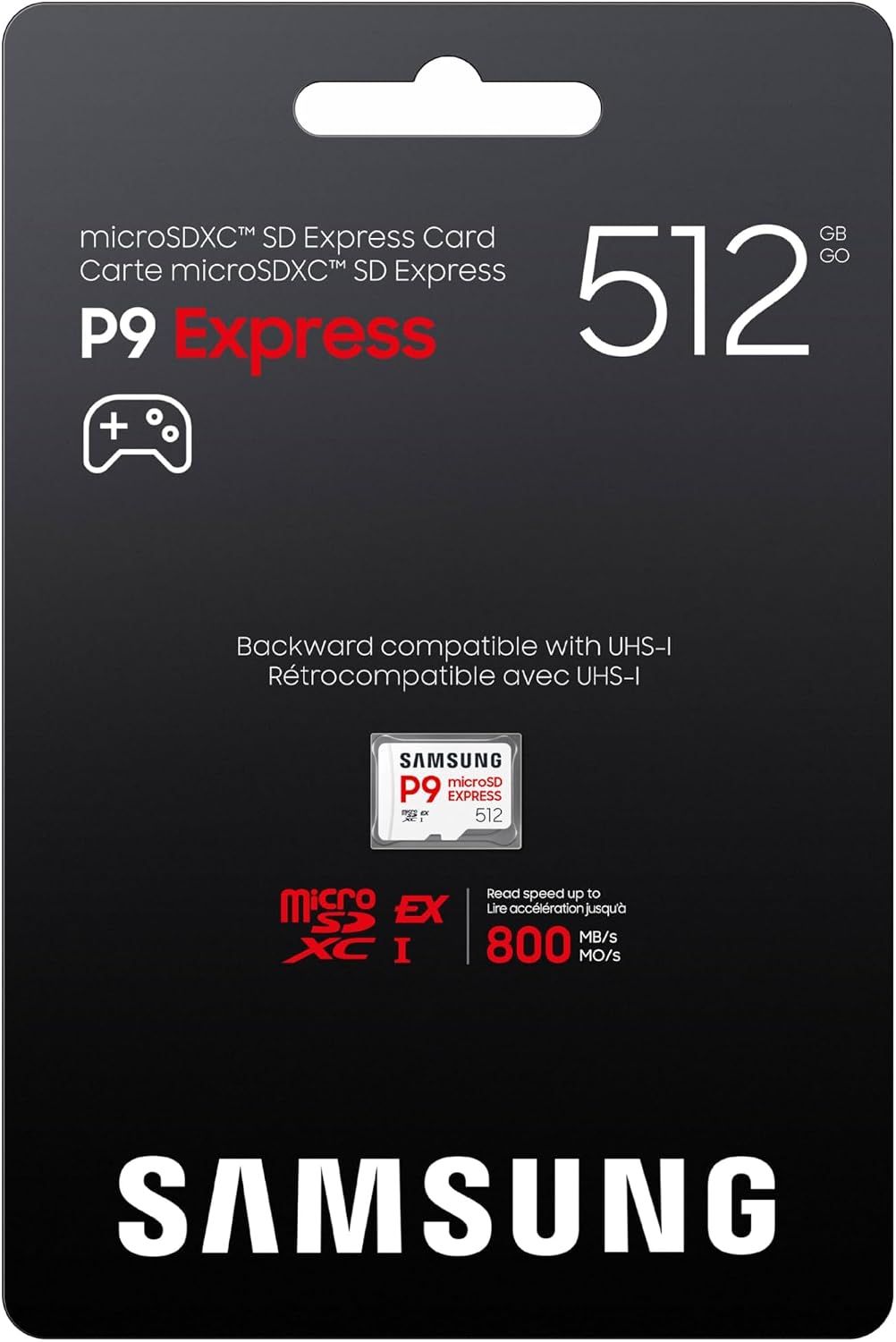
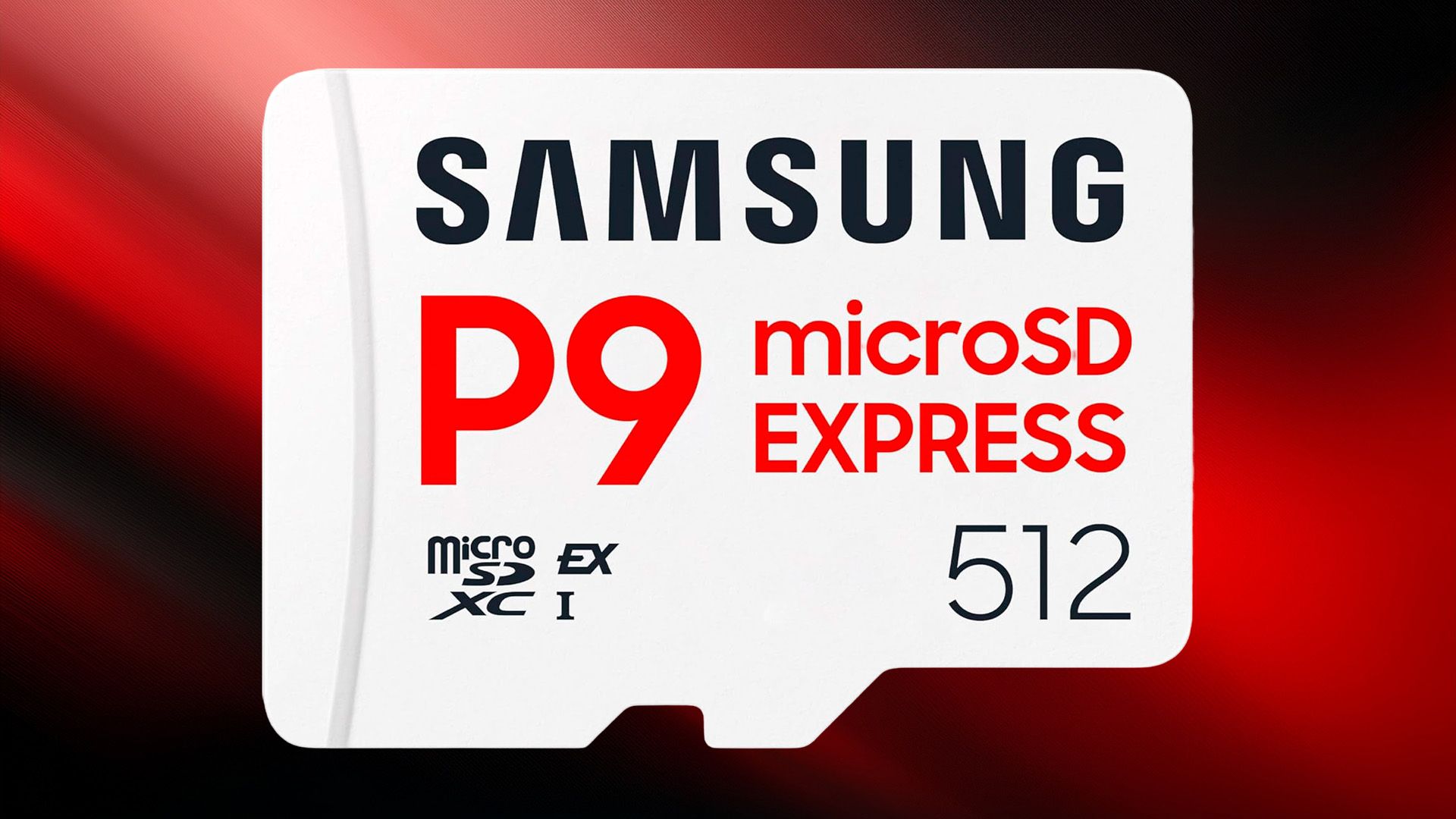
The flash shortage has driven up prices for nearly all consumer storage devices. Fortunately, for a limited time, Nintendo Switch 2 owners have a rare opportunity to secure a high-performance Samsung P9 512GB microSD Express card for just $99.99, the original MSRP before the shortage began. Amazon’s $50 checkout discount makes this deal even more enticing, since the microSD Express card typically retails for $149.99.

The Samsung P9, one of the best microSD Express cards available, offers blazing-fast sequential read speeds of up to 800 MB/s. That performance is enough to ensure games on your Switch 2 load quickly, and gameplay stays smooth. Samsung does not explicitly state the sequential write speed; however, microSD Express cards in the 512GB class generally offer sustained write speeds of up to 300 MB/s.

P9 512GB: was $149.99 now $99.99
The Samsung P9 is a microSD Express card that offers great performance and reliability for its price. The 512GB model is currently priced at its original MSRP of $99.99.View Deal

High write speeds mean faster data transfers and game installations. Still, 300 MB/s is more than enough for most Switch 2 owners to install large games and updates with little waiting time. In normal usage, the Switch 2 reads more data than it writes, so high read speeds are always a plus.

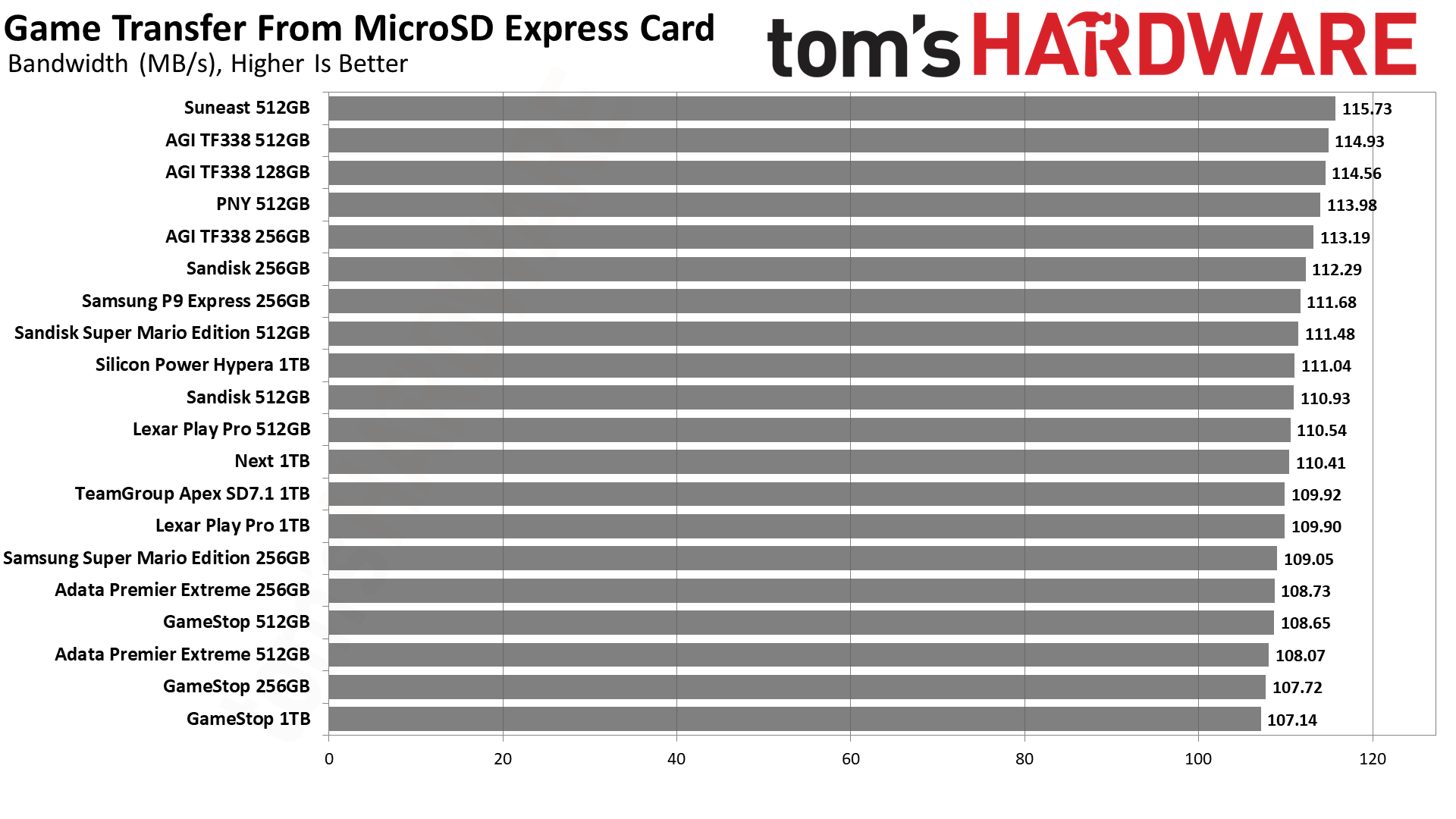
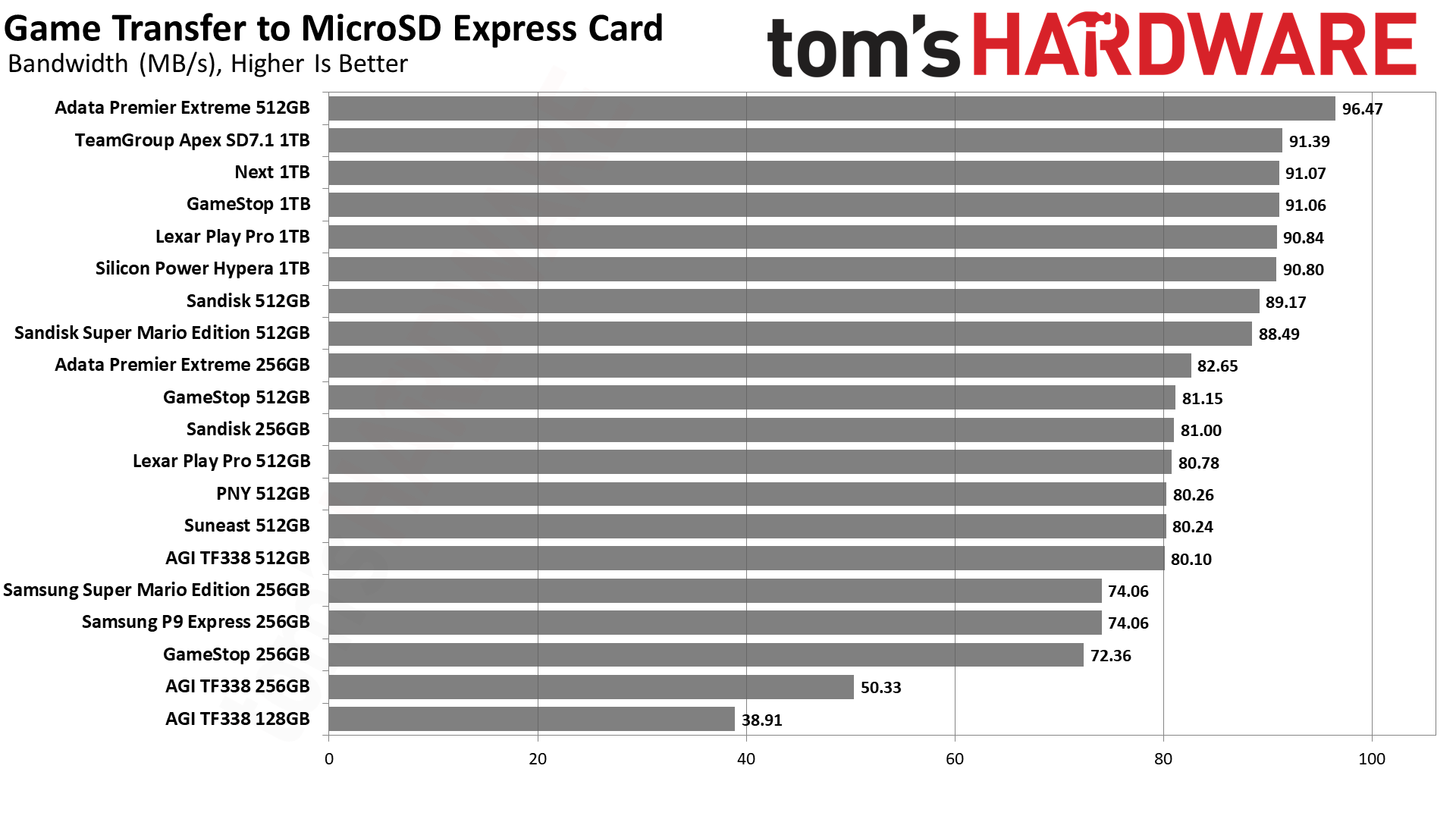
MicroSD Express card benchmarks

The Samsung P9 512GB is an incredible steal at $99.99, especially since Amazon typically lists it for $149.99. In fact, $99.99 is the lowest price this card has reached in the past three months, and it's a rare event given the ongoing flash shortage. Even Samsung’s own website currently sells this exact card for a staggering $199.99, making Amazon’s current offer stand out even more.

Deals like this are few and far between, especially for a microSD Express card of this caliber and capacity. If you are running out of space on your Switch 2 or want to prepare for the wave of incoming AAA titles, the Samsung P9 512GB is a smart investment since you are paying 20 cents per GB, the lowest price available right now. Act fast before it's gone.

  •  

Get the world’s fastest gaming CPU and a DLSS 5-capable GPU in a gaming PC for $2,299

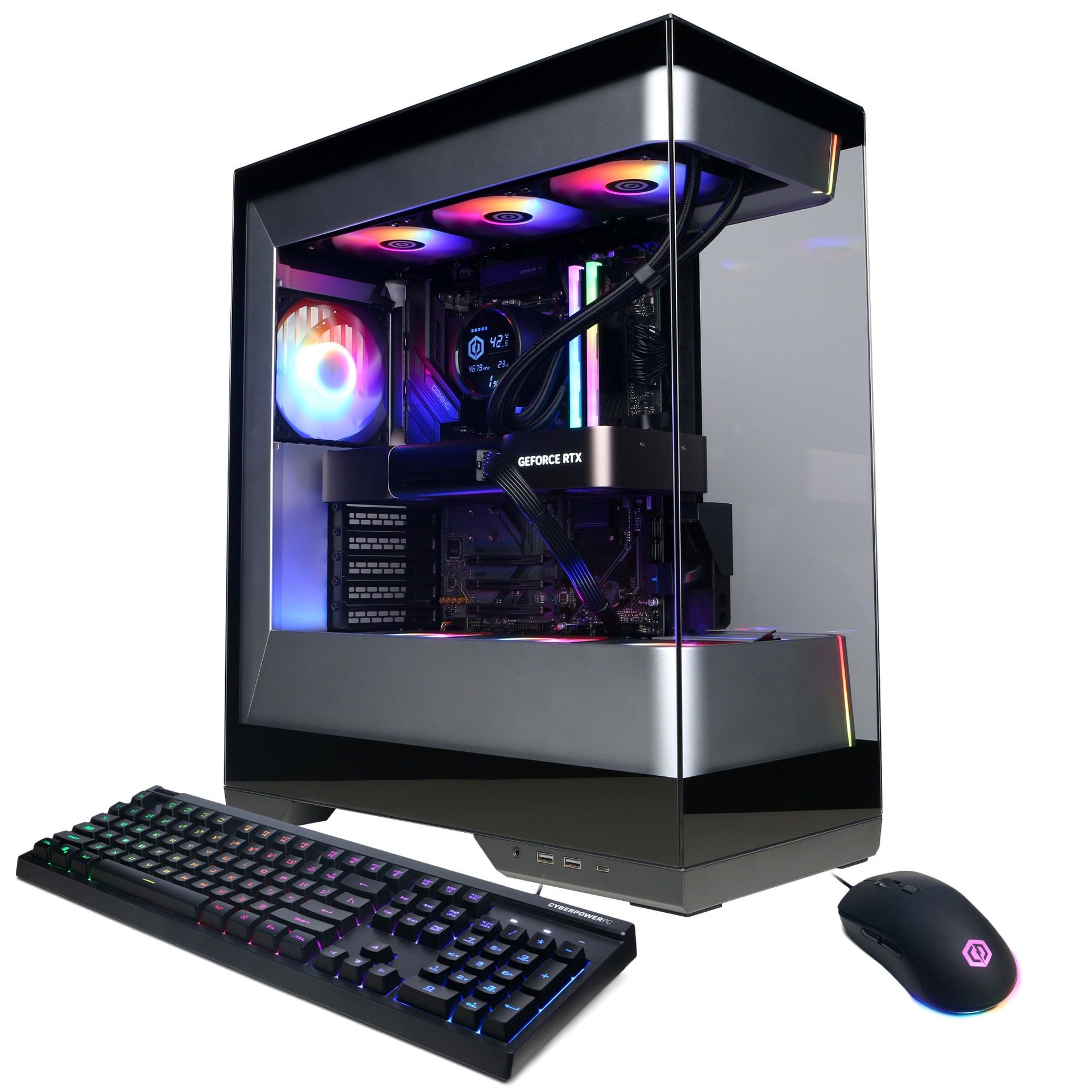
Powered by a Ryzen 7 9800X3D and a GeForce RTX 5080 Founders Edition, the $2,299 CyberPowerPC SLC8500WST is one of the best gaming prebuilt deals on the market right now. A custom GeForce RTX 5080, which starts at $1,579, and the $449 Ryzen 7 9800X3D already add up to $2,028. In today’s market, there is no way you will find 32GB of DDR5 memory and a 1TB PCIe 4.0 SSD for $271, much less put together an entire system.

The Ryzen 7 9800X3D needs no introduction. The octa-core Zen 5 chip with 96MB of L3 cache has been on the market for two years now and still reigns as the best CPU for gaming. Although Intel and AMD have released many processors, nothing comes close to the Ryzen 7 9800X3D in terms of performance and gaming value that the Zen 5 processor offers.

Meanwhile, Nvidia's GeForce RTX 5080 Founders Edition, one of the best graphics cards, joins the Ryzen 7 9800X3D in the SLC8500WST to deliver strong 4K (3840x2160) performance and exceptional frame rates at lower resolutions. It is worth noting that it is the Founders Edition, a coveted model that is rarely available on the market anymore, even if you are willing to overpay for it. It comes with DLSS 5 support, as well, and we've found solid DLSS 5 performance on the RTX 5080 in our testing.

SLC8500WST Gaming PC: $2299
The SLC8500WST is a solid 4K gaming machine with the best gaming processor on the market right now and a formidable GeForce RTX 5080 Founders Edition graphics card.View Deal

Sometimes prebuilt systems are a mixed bag, pairing high-end hardware with weaker components to cut corners. However, the SLC8500WST makes no compromises. The gaming system comes equipped with 32GB of DDR5-6000 memory to ensure seamless gaming and future-proofing of your system.

While the Walmart page does not list the exact specifications of the kit used in the SLC8500WST, it is worth noting that the most affordable 32GB (2x16GB) DDR5-6000 C30 memory kit on the market currently sells for $429.

Best CPU
Tom's Hardware
Best GPUs
Tom's Hardware
Best GPUs
Tom's Hardware
Best GPUs
Tom's Hardware

On the storage side, the SLC8500WST has a spacious 1TB PCIe 4.0 SSD. It provides ample room for your games and loads them instantly. The capacity is a good starting point given current storage prices due to the AI-induced shortage. Again, we do not know the SSD model. However, a budget 1TB PCIe 4.0 SSD typically starts at $149 nowadays.

You do not see offers like the CyberPowerPC SLC8500WST every day, especially at the $2,299 price point. If you have been holding off on upgrading your gaming system or buying a new one, this SLC8500WST deal is definitely one you should consider.

If you're looking for more savings, check out our Best PC Hardware deals for a range of products, or dive deeper into our specialized SSD and Storage Deals, Hard Drive Deals, Gaming Monitor Deals, Graphics Card Deals, gaming chair, or CPU Deals pages.

  •  

Nvidia reportedly denies RTX 5090 warranty over faded serial number — $6,500 GPU blemish not an isolated incident, according to customers

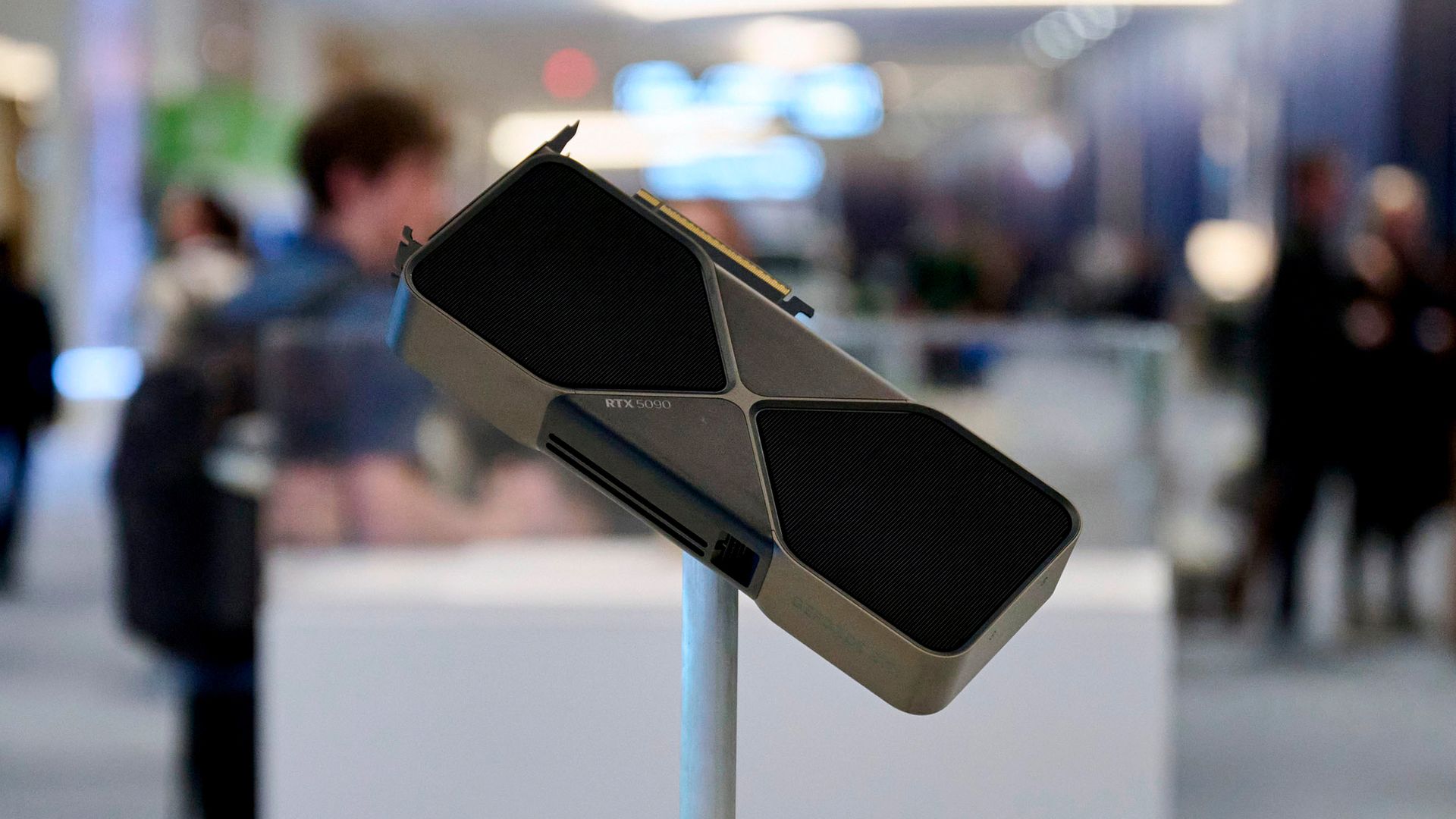
The GeForce RTX 5090 is the first thing that comes to mind when you think of the best graphics cards. However, you'd better pray the serial number on the inside of the metal bracket does not fade over time, since that could be a reason for Nvidia to reject warranty claims. At least one Redditor has shared a case of Nvidia reportedly denying a warranty claim because the bracket's serial number was unreadable.

The Redditor Willing-Avocado-4830, based in the UK, began experiencing black-screen crashes with a GeForce RTX 5090 Founders Edition graphics card under heavy load. The user sent the card to Nvidia for a warranty claim. After 30 days of radio silence, the owner finally received an email stating that their RMA request was rejected with no apparent explanation for the denial.

Seeking clarification, the user reached out to Nvidia for further information. According to the Redditor's recount, Nvidia support purportedly rejected the RMA because the serial number on the graphics card's metal bracket had faded. Like many gamers, Willing-Avocado-4830 claims never to have modified or tampered with the graphics card after installation. The fading serial number does not appear to be an isolated incident. Several other owners have reported similar issues in the Reddit discussion.

The metal bracket on graphics cards is susceptible to dust buildup, oxidation, and corrosion over time. This can cause it to look dirty, stained, or sometimes slightly discolored compared to when it was brand new. These same phenomena could have affected the serial number's legibility, especially since it is printed with ink onto the bracket's surface rather than etched for better durability. For comparison, the last-generation GeForce RTX 4090 Founders Edition had its serial number laser-etched onto the metal bracket.

My RTX 5090 FE RMA was rejected because the physical serial number is no longer readable — has anyone experienced this?
 from r/nvidia

One Redditor said that someone in the Nvidia Discord channel recommended cleaning the area with isopropyl alcohol to restore the serial number's visibility. However, that may not work if the ink is no longer present, as previous reports suggest the hot air expelled by the Founders Edition cooler could be erasing the serial number.

Surprisingly, Nvidia rejected a warranty claim solely because of a faded serial number on the graphics card’s bracket. The same serial number is clearly printed on a sticker on Nvidia's modular PCIe connector, which the chipmaker's technicians can verify when disassembling the GeForce RTX 5090. Moreover, you can pull the serial number from the graphics card through the command prompt with Nvidia SMI (System Management Interface), assuming the card is still working, which, in this case, it is. Willing-Avocado-4830 still had the original packaging and the original invoice from Nvidia U.K., so it would be easy to cross-reference the serial numbers.

Redditor hawok reportedly sent their GeForce RTX 5090 Founders Edition for RMA two months ago and encountered a similar situation. The serial number on the metal bracket was only partially visible. However, customer support seemingly accepted the RMA after the user sent photographs of the packaging that corroborated the serial number. It is unclear what Nvidia's policy is, or whether the chipmaker handles each case differently. We have reached out to Nvidia for clarification.

Some Redditors have suggested taking a photograph that shows the graphics card's serial number next to the packaging's serial number. Others jokingly recommend putting a piece of tape over the serial number. It might not be a bad idea, but you would need heat-resistant tape, something like Kapton tape.

GeForce RTX 5090 stock has practically disappeared from the U.S. market, with very few units starting at $6,500, 3.25X over the Blackwell flagship's MSRP. You cannot blame GeForce RTX 5090 owners for worrying. They already have a lot on their plates, dealing with the 16-pin power connector melting woes, and now also have to worry about fading serial numbers.

  •  

Gaming takes a backseat as Nvidia overhauls the RTX 5090 for maximum AI margins — RTX Pro 5500 delivers 2.6X VRAM at matching specs

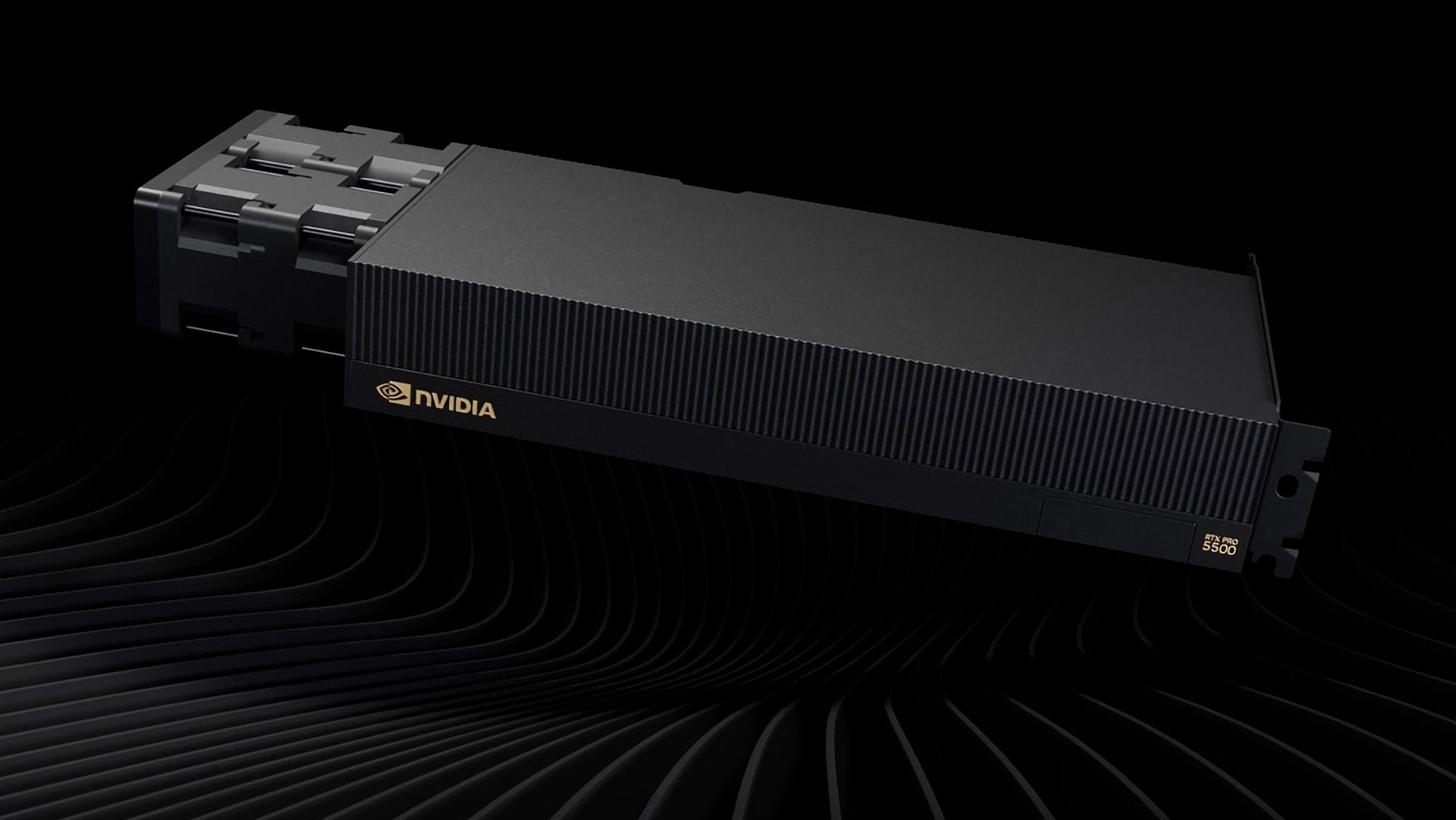
The GeForce RTX 5090 is undeniably one of the best graphics cards money can buy. Banking on the fact that many already use it for AI, Nvidia has bolstered it with even more memory and launched it as the new RTX 5500 Pro Blackwell Workstation Edition. It offers comparable specifications to the GeForce RTX 5090 but distinguishes itself with 84GB of GDDR7 memory, 2.6X more than the Blackwell gaming flagship.

The RTX Pro 5500 features the GB202 silicon, the powerhouse die that powers other high-end mainstream and professional Blackwell graphics cards, including the GeForce RTX 5090, RTX Pro 6000, and RTX Pro 5000. In fact, the RTX Pro 5500 uses the same die as the GeForce RTX 5090, which means 170 Streaming Multiprocessors (SMs) are enabled out of a possible 192. As a result, the RTX Pro 5500 has 21,760 CUDA cores and offers performance comparable to the GeForce RTX 5090. The differentiator is the memory subsystem, where the RTX Pro 5500 excels.

Nvidia equipped the RTX Pro 5500 with 84GB of GDDR7 memory. This is the second time Nvidia has launched a graphics card with 84GB of memory, with the first being the China-exclusive RTX Pro 6000D. The RTX Pro 5500's memory capacity lets the Blackwell graphics card sit comfortably between the RTX Pro 5000 and the upgraded RTX Pro 6000, with 72GB and 96GB of GDDR7 memory, respectively.

Nvidia RTX Pro 5500 Workstation Edition Specifications

Graphics Card

RTX Pro 6000

RTX Pro 6000D

RTX Pro 5500

RTX 5090

RTX Pro 5000

Architecture

GB202

GB202

GB202

GB202

GB202

Process Technology

TSMC 4N

TSMC 4N

TSMC 4N

TSMC 4N

TSMC 4N

Transistors (Billion)

92.2

92.2

92.2

92.2

92.2

Die size (mm^2)

750

750

750

750

750

SMs

188

156

170

170

110

CUDA Cores

24,064

19,968

21,760

21,760

14,080

Tensor Cores

752

624

680

680

440

Ray Tracing Cores

188

156

176

176

110

Boost Clock (MHz)

2,617

2,430

?

2,407

2,617

VRAM Speed (Gbps)

28

25

25

28

28

VRAM (GB)

96

84

84

32

48 / 72

VRAM Bus Width

512

448

448

512

384

L2 Cache

128

128

96

96

96

Render Output Units

192

192

192

176

176

Texture Mapping Units

752

624

680

680

440

TFLOPS FP32 (Boost)

126.0

97.04

?

104.8

73.69

Bandwidth (GB/s)

1,792

1,400

1,398

1,790

1,344

TBP (watts)

600

600

600

575

300

Nvidia achieved the 84GB memory capacity by outfitting the RTX Pro 5500 with 28 GDDR7 memory chips in a clamshell configuration. Each side of the PCB houses 14 24Gb (3GB) GDDR7 memory modules. They run at 25 Gb/s across a 448-bit memory interface, delivering up to 1,400 GB/s of bandwidth, which aligns with Nvidia’s official specification of 1,398 GB/s. In other words, the RTX Pro 5500 shares the same memory subsystem as the RTX Pro 6000D.

Samsung, Micron, and SK hynix only produce standard 28 Gb/s memory packages. Therefore, Nvidia downclocks the RTX Pro 5500's GDDR7 chips for its own reasons, whether to meet thermal and power targets or avoid cannibalizing higher-tier SKUs. From a memory-bandwidth perspective, the RTX Pro 5500 is not particularly impressive. Its bandwidth is only 4% ahead of the RTX Pro 5000, and it lags 22% behind both the flagship RTX Pro 6000 and the GeForce RTX 5090, which fully leverage 28 Gb/s GDDR7 memory chips.

To sum it all up, if RTX Pro 6000D and GeForce RTX 5090 had a child, it would be the RTX Pro 5500. Nvidia's main motivation was to launch the RTX Pro 5500 to fill the large performance and pricing gap between the RTX Pro 6000 and RTX Pro 5000. Also, the chipmaker makes substantially more profit by putting recycled GB202 into an RTX Pro 5500 than into a GeForce RTX 5090. By giving the former more memory with similar core specifications as the latter, Nvidia seemingly hopes to win more customers over to the RTX Pro 5500.

We reached out to both Nvidia and PNY for official pricing on the RTX Pro 5500, but neither company has responded. For reference, the flagship RTX Pro 6000 retails for $15,599, while an RTX Pro 5000 72GB starts at $9,209. Given the RTX Pro 5500's role as a bridge between the two models, it is reasonable to expect its launch price to fall somewhere within this range.

  •  

US Customs supervisor busted for stealing Core i7 CPUs, RAM, and hard drives from Homeland Security PCs, damage estimated at $105,800 — stolen tech swapped with inferior hardware and cashed out on Newegg

According to a report from The Maine Wire, the FBI has arrested and charged Terry “Jiajia” Liu, a Customs and Border Protection supervisor based in Calais, Maine, for theft and damage to government property. Liu allegedly stole computer hardware, including Intel 14th Generation Raptor Lake Refresh processors, memory modules, and hard drives, from at least 46 Department of Homeland Security computers across three Maine border facilities. They replaced the stolen parts with inferior hardware and exchanged the stolen equipment through Newegg’s trade-in program for store credit.

Liu’s official responsibilities were limited to information-technology support, so they did not have access to modify any government computer. Port Director Theodore Cummings made the restriction abundantly clear to Liu in a written order: “Please do not move any computers or computer parts.” However, criminals rarely listen.

Hidden surveillance cameras captured Liu opening government computers and swapping hardware during the midnight shift. The perpetrator would take the systems to a training room to commit the crime. One camera recording showed Liu using a screwdriver to scrape thermal paste off a processor and installing a replacement chip in one system. Meanwhile, another recording caught Liu removing a memory module from a system and storing it in their desk drawer.

According to the affidavit, investigators found that thirty-nine computers had their processors replaced, six machines with memory modules swapped, and eight had hard drive changes. The original systems used Raptor Lake Refresh chips but were later discovered to have older hardware, sometimes downgraded to Pentium chips. Beyond the processor swap, other computers had less memory and storage capacity than their original configurations.

Instead of trying to sell the stolen hardware on the open second-hand market, Liu used a less conspicuous approach: Newegg’s Trade-In program. According to investigators, Liu sent 13 emails between a personal account and an official CBP email address containing shipping labels and trade-in receipts for processor models matching the missing components from the government computers.

The Newegg trade-in offers varied between $200 and $210 per processor. According to the transaction records from the U.S. retailer, Liu traded in Core i7 Raptor Lake Refresh chips 16 times over 14 months, from May 2025 to July 2026. Investigators also found three $200 credits from Newegg in Liu's American Express records.

During an interview, Liu confessed to replacing hardware in the government computers with lower-performing parts bought on Amazon and Newegg. They also acknowledged submitting the government-owned parts to Newegg's Trade-In program. At first, Liu claimed their actions were motivated by a desire to improve the computers' performance and how long computer repairs took. However, they later admitted that the changes resulted in degraded performance.

Restoring the stolen hardware could cost about $20,460, while fully replacing all 46 compromised computers with equivalent hardware would cost an estimated $105,800. However, additional labor to configure each system for government use will drive the bill even higher.

  •  

China-modified Nvidia RTX 5090 with massive 96GB of memory appears on Alibaba for less than $4,000 — 3x more VRAM at 65% the cost of the original

The GeForce RTX 5090 is already at the pinnacle of the best graphics cards. However, Shenzhen Suqiao Intelligent Technology Co., Ltd., a Chinese OEM/ODM, has reportedly made it even more powerful by outfitting the Blackwell flagship with 96GB of memory, 3X more than the original. The company is already selling these modified GeForce RTX 5090 96GB on Alibaba for $3888, 35% less than the vanilla GeForce RTX 5090 in the U.S.

You can say whatever you want about China, but you cannot deny that factories there have produced some of the most interesting modified graphics cards, including the GeForce RTX 5080 32GB, the GeForce RTX 4090 48GB, and the GeForce RTX 3090 48GB. While some of these projects are fueled by pure curiosity, most of them are a result of the recent AI boom that has stimulated Chinese factories to think outside the box and give existing and even past graphics cards a memory upgrade so consumers can repurpose them for AI workloads. While we have seen a fair share of absurd rumors, such as the GeForce RTX 5090 128GB, the conjuration of the GeForce RTX 5090 96GB seems more plausible from a technical standpoint, and there is precedent for a Blackwell-based graphics card with 96GB of memory.

Before diving into the GeForce RTX 5090 96GB, it is worth noting that the Alibaba listing is from Suqiao, a Chinese manufacturer with over 10 years of experience making graphics cards, motherboards, and servers. So it is not a random Chinese chop shop but rather an established OEM/ODM, which lends some credence to the existence of the GeForce RTX 5090 96GB. Needless to say, the Alibaba listing is full of questionable specifications, such as GDDR6X memory or memory speeds of 14 Gbps.

The RTX Pro 6000 Blackwell, which has 96GB of GDDR7 memory, uses the same GB202 silicon as the GeForce RTX 5090, but with more enabled Streaming Multiprocessors (SMs). Therefore, a 96GB configuration is possible on GB202; however, the GeForce RTX 5090 96GB likely uses a custom PCB, allowing the manufacturer to install the memory chips in clamshell mode, which doubles the total memory on the PCB. The vendor could either procure the GB202 silicon individually or extract it from mainstream GeForce RTX 5090 graphics cards and reball it onto the custom PCB.

Even in clamshell mode, with memory pads on both sides of the PCB, there are only 32 of them. The RTX Pro 6000 Blackwell has 32 GDDR7 chips, each 24Gb (3GB) in capacity. The problem we have with the GeForce RTX 5090 96GB that raises a red flag about its authenticity is the mention of GDDR6X. Micron only produced GDDR6X memory chips in 16 Gb (2GB), so the maximum capacity would be 48GB in clamshell mode. Plus, GDDR6X operates between 19 Gbps and 24 Gbps, much higher than the listed 14 Gbps, which corresponds to standard GDDR6.

Modified firmware and software-level hacks are necessary to run Nvidia graphics cards with modified memory capacity. For instance, the GeForce RTX 4090 48GB was possible because modders modified Nvidia's firmware to get these graphics cards running. However, rumors on the street suggest that a leaked firmware for the GeForce RTX 5090 has been available for a few months, which could explain why we are starting to see these GeForce RTX 5090 96GB graphics cards surface.

Suqiao listed the GeForce RTX 5090 96GB for $3,888, significantly lower than other Alibaba merchants who have it closer to $5,900. For reference, custom GeForce RTX 5090 graphics cards start at $6,000 in the U.S. market. After the latest price hikes, Nvidia is selling the RTX Pro 6000 Blackwell for $16,000, although it can go up to $17,999, depending on which variant you pick up. If the GeForce RTX 5090 96GB is real, even at $6,000, it would be a steal for anyone running AI models.

  •  

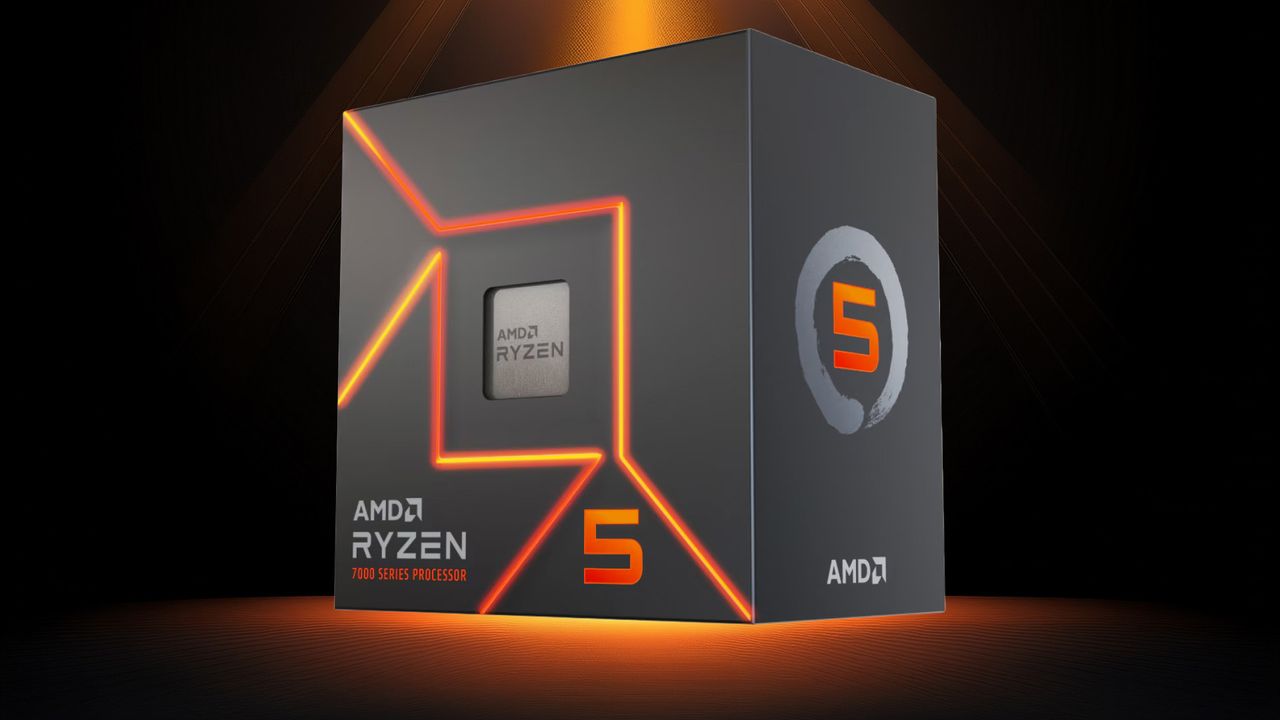
AMD releases new Ryzen 5 5500F and Ryzen 5 7500 for budget PC builders — new budget Zen 3 and Zen 4 CPUs soften the blow from high RAM prices

AMD has officially launched the Ryzen 5 5500F and Ryzen 5 7500, two strong contenders for the best CPUs on the market if you're on a budget. Both are hexa-core chips, with the Ryzen 5 5500F featuring AMD's Zen 3 execution cores and the Ryzen 5 7500 using the newer Zen 4 execution cores. The Ryzen 5 5500F and Ryzen 5 7500, priced at $99 and $189, respectively, are available at U.S. retailers starting today.

The Ryzen 5 5500F, despite its similar model name to the Ryzen 5 5500, belongs to a different family in AMD's portfolio. The Ryzen 5 5500F hails from the Ryzen 5000 series (codenamed Vermeer), which uses a multi-chiplet architecture. Meanwhile, the Ryzen 5 5500 comes from the Ryzen 5000G series (codenamed Cezanne), which uses a monolithic die design.

Therefore, it is more sound to call the Ryzen 5 5500F a lower-binned version of the Ryzen 5 5600, rather than an iGPU-less variant of the Ryzen 5 5500, which lacks integrated graphics to begin with. The distinction matters because the Ryzen 5 5500F is closer to the Ryzen 5 5600, albeit with a 500 MHz lower boost clock speed and half the L3 cache.

The Ryzen 5 5600, which launched at $199, now retails for around $159, making the new Ryzen 5 5500F approximately 38% more affordable. Meanwhile, the Ryzen 5 5500, which debuted at $159, has lost substantial value over the years. OEM tray versions of the Ryzen 5 5500 now start at just $74, so it is still the most cost-effective entry point into the AM4 ecosystem. Compared to the Ryzen 5 5500, the Ryzen 5 5500F carries a 34% price premium. The latter justifies its higher cost with a slightly higher boost clock speed, which translates to better gaming performance, and support for PCIe 4.0, unlocking faster SSDs and graphics cards.

Ryzen 5 5500F and Ryzen 5 7500 Specifications

Processor

MSRP / Current Price

Architecture / Codename

Platform

Cores / Threads

Base / Boost Clock (GHz)

L2 Cache (MB)

L3 Cache (MB)

Graphics Model

Graphics Core

Graphics Frequency (MHz)

Memory Support

PCIe Lanes

TDP (W)

Ryzen 5 7600

$229 / $226

Zen 4 / Raphael

AM5

6 / 12

3.8 / 5.1

6

32

AMD Radeon

2

2,200

DDR5-5200

24 PCIe 5.0

65

Ryzen 5 7500

$189 / $189

Zen 4 / Raphael

AM5

6 / 12

3.7 / 5.0

6

32

AMD Radeon

2

2,200

DDR5-5200

24 PCIe 5.0

65

Ryzen 5 7500F

$179 / $157

Zen 4 / Raphael

AM5

6 / 12

3.7 / 5.0

6

32

N/A

N/A

N/A

DDR5-5200

24 PCIe 5.0

65

Ryzen 5 5600

$199 / $159

Zen 3 / Vermeer

AM4

6 / 12

3.5 / 4.4

3

32

N/A

N/A

N/A

DDR4-3200

20 PCIe 4.0

65

Ryzen 5 5500F

$99 / $99

Zen 3 / Vermeer

AM4

6 / 12

3.0 / 4.4

3

16

N/A

N/A

N/A

DDR4-3200

20 PCIe 4.0

65

Ryzen 5 5500

$159 / $74

Zen 3 / Cezanne

AM4

6 / 12

3.6 / 4.2

3

16

N/A

N/A

N/A

DDR4-3200

20 PCIe 3.0

65

When it comes to the Ryzen 5 7500, little mystery surrounds its place in AMD's product stack. True to its name, the Ryzen 5 7500 is the same processor as the Ryzen 5 7500F, which launched three years ago, but with integrated Radeon graphics. This small addition suits users who need basic display output and do not plan to spend money on a discrete graphics card. Apart from the integrated graphics, all core specifications remain identical between the two models.

As a result, the difference between the Ryzen 5 7600 and the Ryzen 5 7500 stands. The former boasts a 100 MHz higher base and boost clock, so performance is somewhat better in certain processor-intensive workloads or gaming scenarios. However, most users may not notice the difference.

The Ryzen 5 7500F hit the market at $179, but over time its retail price has dropped to about $157. In contrast, the Ryzen 5 7600 has held its value over the years, falling only slightly from its original MSRP of $229 to around $226. As a result, the Ryzen 5 7500 positions itself as a mid-point option, priced 16% lower than the Ryzen 5 7600 and 20% above the Ryzen 5 7500F.

The Ryzen 5 7500 makes sense in this market because not everyone is a gamer, so integrated graphics mean you do not have to spend a fortune on a discrete graphics card at today's ridiculous prices. However, because it runs on AMD's AM5 platform, the Ryzen 5 7500 is still bound by the sky-high cost of DDR5.

  •  

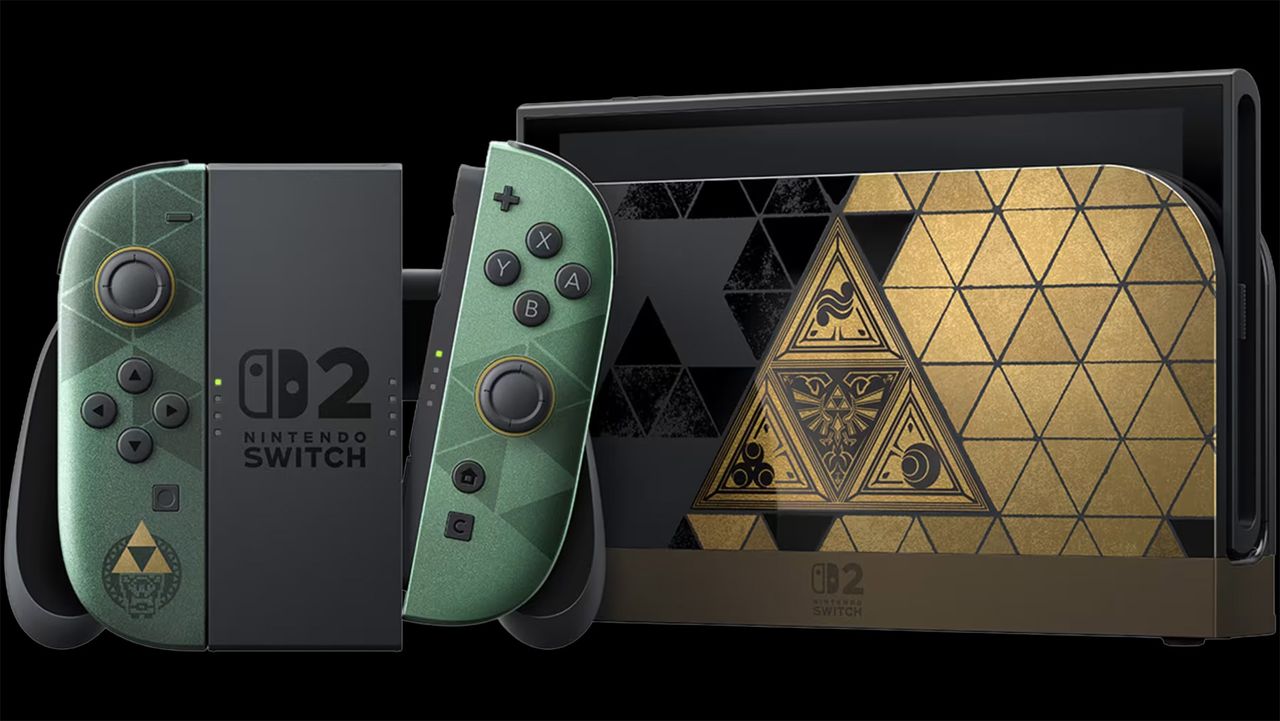
Switch 2 Zelda 40th Anniversary Edition preorders open on Amazon for $519.99 — here's your last shot to grab the limited-edition console at MSRP

Preorders for the Nintendo Switch 2 The Legend of Zelda 40th Anniversary Edition went live shortly after yesterday's Nintendo Direct and sold out instantly. Walmart has listed the handheld gaming console but has enabled preorders. Meanwhile, you can preorder it on Amazon for $519.99, so you may still have a chance to get one at MSRP before the scalpers.

Major U.S. retailers, including Target, Best Buy, and GameStop, were the first to enable preorders for the Switch 2 The Legend of Zelda 40th Anniversary Edition, which instantly sold out. It did not take long for scalpers to hit eBay to resell preorders for as much as $1,000, almost 2X over Nintendo's MSRP. Zelda-exclusive consoles have always been prime targets for scalpers.

The Switch 2 The Legend of Zelda 40th Anniversary Edition, the first limited edition of the Switch 2 and a The Legend of Zelda-themed edition celebrating the franchise's 40 years, makes the handheld console even more desirable to hardcore fans and scalpers looking to make a quick profit. Plus, the console's $519.99 price tag, which is only $20 over the vanilla Switch 2, gives gamers extra incentive to purchase one. The problem is finding one in stock.

Along with the console, Nintendo also gave the Switch 2 Pro controller and carrying case with an included screen protector the same The Legend of Zelda 40th Anniversary Edition treatment. Best Buy currently has both up for preorder at $99.99 and $39.99, respectively.

The Switch 2 The Legend of Zelda 40th Anniversary Edition officially launches on October 29. Historically, The Legend of Zelda-themed consoles are available for purchase on launch day. However, stock will likely be extremely limited, which is why many fans like to lock in their preorders early.

It remains to be seen whether Nintendo will produce many units of the Switch 2 The Legend of Zelda 40th Anniversary Edition. At least for the previous limited-edition consoles, like the Nintendo Switch OLED: Tears of the Kingdom Edition or Nintendo Switch Lite: Hyrule Edition, stock was not a problem since you can still buy them today despite being last-generation consoles.

  •  

Microsoft reportedly gives secret Xbox Game Pass discounts to churned subscribers to reel them back in — targeted offers slash up to 30% off the regular price

If you play hard to get, you could get Xbox Game Pass for cheaper; at least that is what numerous users are reporting on a Reddit thread. One Xbox Game Pass subscriber shared a screenshot of Microsoft offering them the Ultimate plan for $16.09 for a month, 30% lower than the standard $22.99. Their secret? Cancel Xbox Game Pass almost every month.

Dynamic win-back discounts are perhaps the oldest trick in the book, but they remain widely used because of their effectiveness in re-engaging customers who have stopped buying a product or, in Microsoft's case, canceled their Xbox Game Pass subscription. These targeted offers, often disguised as "We Miss You" or "Welcome back" deals, aim to win back lost customers with exclusive or time-limited discounts.

According to the Redditor, they have used Xbox Game Pass on and off for about two years. However, instead of committing to an annual plan, the user frequently paused and resubscribed. In the Redditor's words, they were "not doing any sort of tricks lol...just got the offer randomly because I cancel gamepass almost every month, so maybe this was their way of keeping me."

This kind of customer behavior is not uncommon among subscription services, since buyers seek to maximize value and avoid unnecessary spending. Apparently, Microsoft seemingly noticed this user and proactively offered a 30% discount, dropping the Xbox Game Pass Ultimate price from $22.99 to $16.09 for a year. And it worked. The Redditor confirmed that they took the offer and locked in for the entire year.

Got Offered a Game Pass Annual Subscription
 from r/XboxGamePass

At least one other Redditor confirmed they also received the same $16.09 offer. The thread quickly filled with additional posts as users shared their experiences with Xbox Game Pass discounts. For example, one Reddit user said that when they logged in with a secondary account on their Xbox console, they saw an $18 offer for 12 months of Xbox Game Pass Ultimate. Their main account allegedly never receives offers like this. Meanwhile, other users chimed in to report receiving $ 20-per-month offers.

It is unclear what criteria Microsoft uses to distribute these win-back discounts. Many speculate that the company may be considering activity, subscription history, or even multiple accounts. The discounts do not seem limited to the U.S., where the Redditor lives. Users in the thread have reported similar discounts in regions like México.

Despite Microsoft slashing Xbox Game Pass pricing earlier this year, many gamers still resort to digital key marketplaces such as Eneba, G2A, or Loaded, where one month of Xbox Game Pass Ultimate can cost as little as $9.28. By running targeted annual promotions, Microsoft can encourage subscribers to stick with Xbox Game Pass, secure long-term revenue, and avoid the risks of month-to-month cancellation.

However, these targeted discounts raise an important question: should Microsoft not reward loyal Xbox Game Pass subscribers with similar exclusive discounts? Win-back promotions are great for bringing back former subscribers, but long-time users will feel overlooked and see no reason to commit, since the generous deals go to those who cancel and return.

  •  

German scammer dupes two different buyers into spending thousands on hollow RTX 5090 GPUs — stripped-out cards netted fraudster $5,000 despite being worthless

Nvidia's GeForce RTX 50-series (codenamed Blackwell) graphics cards continue to rank among the best graphics cards available today. As a result, these highly sought-after Blackwell graphics cards have become prime targets for criminals seeking to scam unsuspecting buyers. Although scams involving hollow graphics cards are not new, their growing frequency and spread are cause for concern. The latest reports from Germany have revealed at least two buyers who fell prey to the same scam, reportedly from the same seller.

Hollow or phantom graphics cards may not be colloquial terms you hear every day. They basically refer to graphics cards that lack the silicon and memory chips. Criminals remove these components and sell non-functional graphics cards to their prey. Logically, you have no way of knowing these components are not present until you disassemble the graphics card, something that the average consumer does not do. Swindlers have run similar scams with fake memory modules without integrated circuits, or SSDs with microSD cards inside.

The first report, as recounted by respected hardware enthusiast Roman “der8auer” Hartung, uncovers a poor victim who bought a second-hand Palit GeForce RTX 5090 GameRock OC for around $2,090 (1,800 euros). The seller’s asking price was suspicious since a brand-new one starts at around $5,805 (4,999 euros) in Germany. Even for a used one, the dramatic price difference indicates a potential scam.

Many of these scams happen through online transactions. So the buyer went so far as to meet the seller in person, hoping a face-to-face interaction would ensure the graphics card was legit. It did not make a difference, though, because the buyer did not have a system to test the graphics card on the spot. In the end, it was a matter of taking the seller's word for it, and that turned out horribly.

A second report has emerged from a member of the Hardwareluxx forums, who reportedly fell victim to the same deceptive seller. Tragically, this individual ended up paying close to $2,613 (2,250 euros) for the phantom graphics card.

In both cases, the scammer put on a friendly facade and provided what seemed like legitimate paperwork to bolster the buyers' trust. For the first victim, the seller shared an invoice showing the purchase of two graphics cards, claiming to sell one because they no longer needed it. Similarly, in the second case, the scammer furnished an invoice to convince the buyer of the transaction’s legitimacy.

The use of realistic invoices is a growing trend among fraudsters. The first buyer uncovered that the serial number printed on the graphics card itself did not match the serial number listed on the packaging. The second buyer discovered that the serial numbers on the invoice and the packaging matched, but the seller deliberately scratched off the serial number on the graphics card.

The AI gold rush will not be over anytime soon, so we do not expect graphics card pricing to improve. This gives scammers more motivation to prey on buyers' desire for a graphics card and lure them in with prices that seem too good to be true. The two incidents serve as a cautionary tale for anyone trying to procure a graphics card, especially from second-hand sources.

  •  

Xbox Game Pass imposes monthly cloud gaming limits, just 15 hours per month for Ultimate — subscribers and non-subscribers can buy more hours to keep gaming

Xbox Game Pass has been an alternative option for gamers who cannot afford the best graphics cards. However, Microsoft has changed the business model for its cloud gaming service. The company has decided to monetize actual gaming time. Beginning in November, Game Pass subscribers will have new monthly limits on their total cloud gaming playtime. Once they reach these limits, players will be prompted to purchase additional gaming hours from the Xbox Store to keep playing.

Game Pass Essential, Premium, and Ultimate subscribers will face monthly cloud playtime limits of five, 10, and 15 hours, respectively. The changes affect only Xbox Cloud Gaming, a feature included with Xbox Game Pass that lets subscribers stream and play games directly from Microsoft's servers over the Internet. Subscribers can still download and install as many Xbox Game Pass titles as they want on their consoles or gaming systems, with no monthly limits on playtime.

Needless to say, Microsoft's decision marks a drastic shift for Xbox Cloud Gaming, moving from an unlimited model to a capped-hour system. Under the current packages, Game Pass Essential, Premium, and Ultimate users pay $2, $1.50, and $1.53 per hour for Xbox Cloud Gaming, respectively. Despite announcing these changes, Microsoft has yet to disclose details regarding the pricing structure for additional playtime.

A hardcore gamer who subscribes to Xbox Game Pass Ultimate could easily average around 50 hours of cloud gameplay per month. For example, if they pay the highest rate ($1.53) for 35 overage hours, an Xbox Series S 512GB ($499.99) would pay for itself in under 10 months. Alternatively, the user could break even on an Xbox Series X 1TB ($749.99) in about 14 months.

These changes will significantly affect heavy cloud gamers who stream games regularly. Even the highest subscription tier, Game Pass Ultimate, now imposes a 15-hour monthly playtime cap. The limit is not even enough to complete one game per month. For instance, AAA titles such as Cyberpunk 2077 or Clair Obscur: Expedition 33 can take almost 30 hours to complete, even if you just stick to the main storyline.

Xbox Game Pass Pricing

Tier

Monthly Price

Xbox Cloud Gaming Monthly Hour Limit

Cost Per Hour

Ultimate

$22.99

15

$1.53

Premium

$14.99

10

$1.50

Essential

$9.99

5

$2.00

The new policy introduces limits for frequent cloud gamers, but it also opens a new market for Microsoft: casual players who don't own a console or may not want to commit to a subscription but are willing to buy gaming hours to play select titles in the Xbox Game Pass library. Microsoft's decision ultimately transforms Xbox Cloud Gaming into an "à la carte" type of service where gamers buy cloud playtime hours as needed.

Microsoft attributes its recent policy changes to the rising infrastructure costs associated with maintaining the cloud server network. The company estimated only about 4% of its subscribers will be directly impacted by the new playtime limits. Therefore, it is reasonable to think that the other 96% of the user base do not use Xbox Cloud Gaming or stay under the monthly hour thresholds.

Over the past two years, Microsoft has implemented two price increases for Xbox Game Pass, with the most recent hike occurring in October of last year. Interestingly, despite the upward trend in pricing, the company made a surprising move by reducing the cost of Xbox Game Pass earlier this year. By shifting Xbox Cloud Gaming to a metered system, Microsoft may be trying to maintain profitability and subscriber retention.

But nothing about the timing appears coincidental. Grand Theft Auto VI, arguably the most anticipated title of the decade, will launch on November 19. Microsoft’s new Xbox Cloud Gaming policy is set to take effect in the very same month. Microsoft is strategically positioning the subscription service to capitalize on the massive surge of interest. The company likely wants to attract users who do not own a console or gaming system because of the ridiculous pricing but still want to play Grand Theft Auto VI.

  •  

How to install a PS5 SSD in 2026

Expanding your PlayStation 5's storage with the best PS5 SSDs in 2026 is no longer a luxury, but a necessity. Modern AAA games are only getting bigger and more demanding, which will saturate your console's internal storage system in no time. With Sony's decision to eliminate physical game discs, the need for a high-speed M.2 PCIe 4.0 NVMe SSD will be even more important in the future. Juggling a large number of games with just the console's internal storage will be a headache.

Investing in a quality M.2 SSD ensures you do not have to constantly go through the frustration of uninstalling games to make space for new ones or subsequently having to redownload hundreds of gigabytes to replay a previous game. Do not let your console's storage limitations hold you back from playing upcoming AAA releases.

Upgrading your PlayStation 5 with an M.2 SSD is a safe and effective way to expand your storage. It will not void the warranty, provided you use a compatible drive and take care not to damage your console physically during the installation process. Rest assured, as long as you proceed carefully and avoid any accidental damage, your warranty will remain intact. If you have already purchased, or are considering purchasing, an M.2 SSD for your PlayStation 5, let our step-by-step guide take you through every part of the installation process.

Tools Needed To Install a PS5 SSD

  • #1 Phillips screwdriver
  • PCIe 4.0 x4 NVMe SSD with a minimum sequential read of 5,500 MB/s and a built-in or aftermarket heatsink

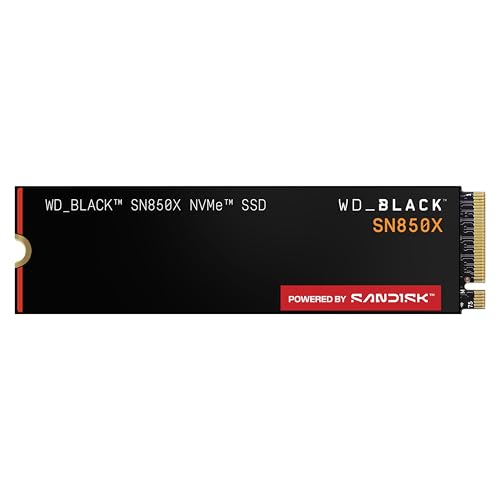
WD Black SN850X 2TB: $369.99
The WD Black SN850X is the best SSD for your PlayStation 5. The PCIe 4.0 drive delivers sequential read and write speeds up to 7,300 MB/s and 6,600 MB/s, respectively.View Deal

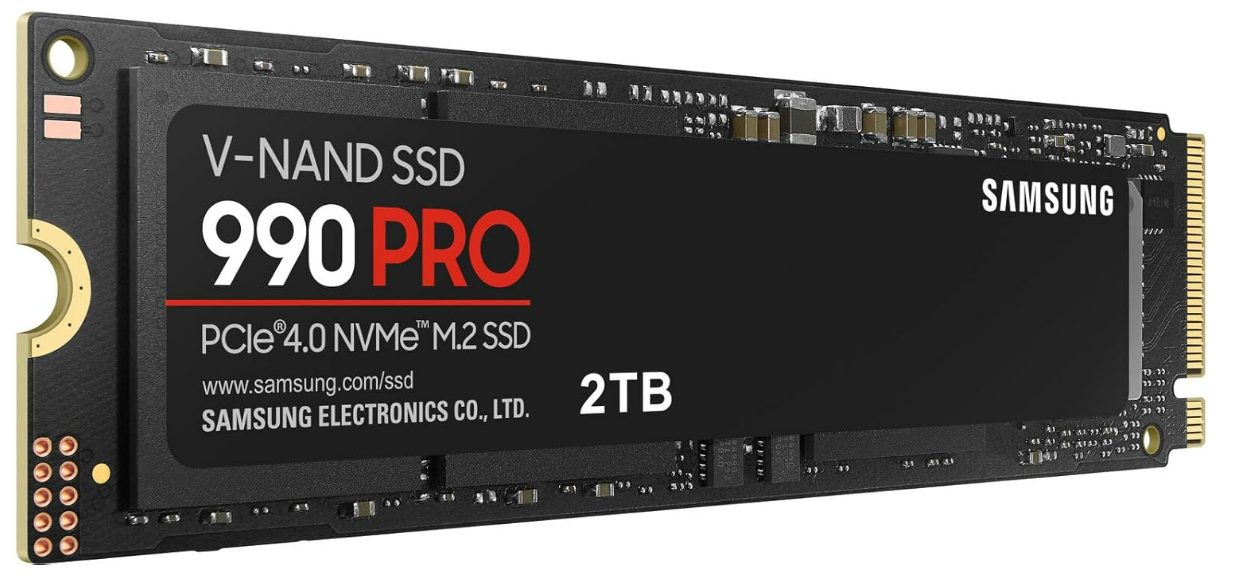
990 Pro 2TB: was $639.99 now $389.99
The Samsung 990 Pro is a very formidable PCIe 4.0 SSD for your PlayStation 5. The drive flaunts sequential read and write speeds that top out at 7,450 MB/s and 6,900 MB/s, respectively.View Deal

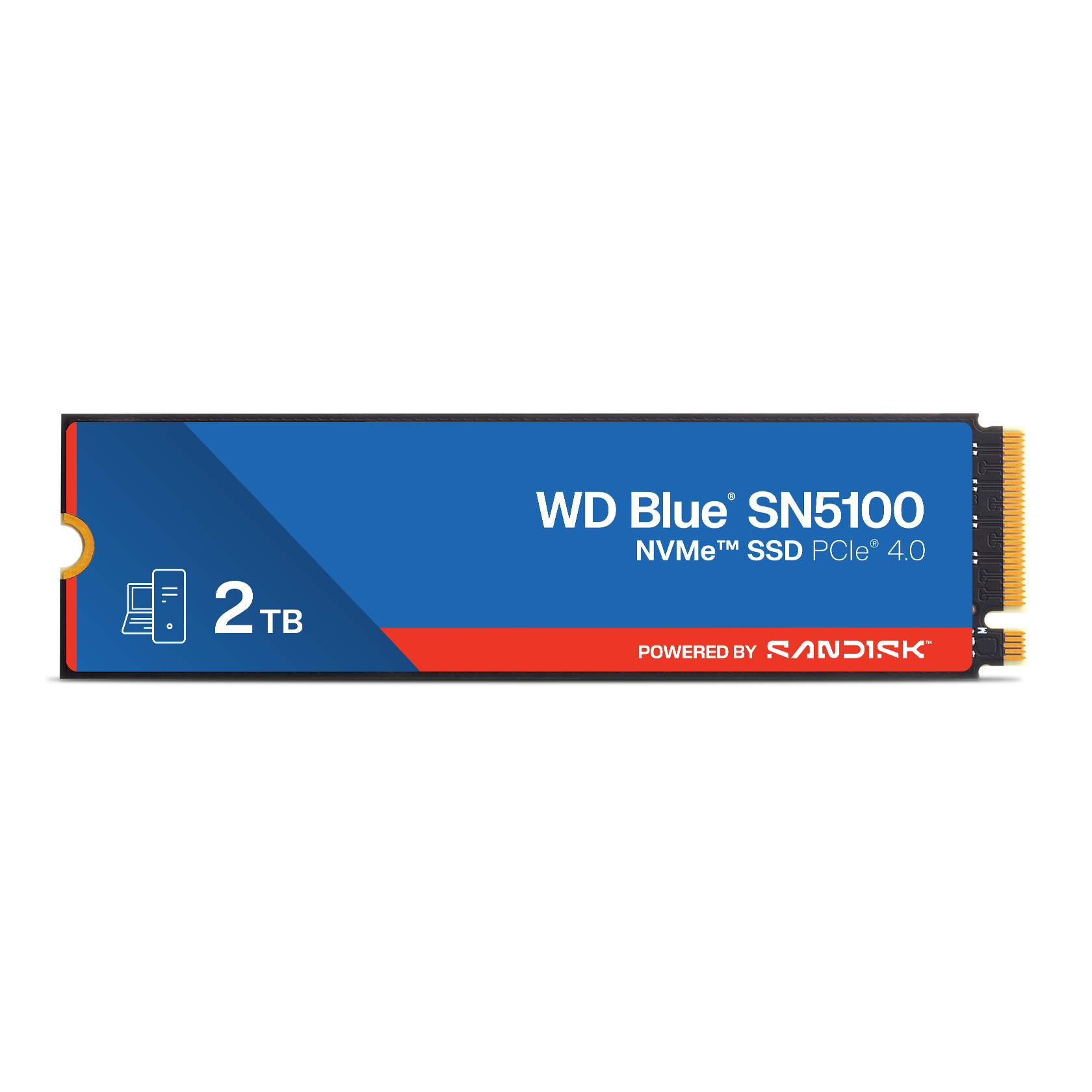
The WD Blue SN5100 is the best budget drive money can buy for your PlayStation 5. The PCIe 4.0 SSD's sequential performance reaches 7,100 MB/s reads and 6,700 MB/s writes.View Deal

1. Prepare your PlayStation 5 for installation.

How to install PS5 SSD in 2026

(Image credit: Tom's Hardware)

Carefully disconnect both the HDMI and power cables from your PlayStation 5. Detach it from the stand if you are using it. Next, place your console horizontally on a flat surface to make the upgrade process easier and prevent accidental damage.

If you are worried about scratching the console, you can put something like an anti-static mat or a simple piece of cardboard or paper under it. Avoid soft fabrics, such as microfiber cloths or towels, that can generate static electricity when they come into contact with plastic.

2. Remove the cover to get inside the PlayStation 5.

How to install PS5 SSD in 2026

(Image credit: Tom's Hardware)

Before you begin working on your PlayStation 5, touch a grounded metal object to discharge any static electricity from your body safely. Then, position your console so the PlayStation logo faces down and the rear ports point directly toward you. Firmly hold the console in place with one hand and, using your other hand, locate the right-bottom corner of the top cover. Gently lift it upward while simultaneously sliding the cover to the left.

For the PlayStation 5 Slim and PlayStation 5 Pro: Similar to the vanilla version, position the console so that the rear ports face toward you, and the larger cover is on your left. Grip the top edge of the smaller cover gently and pull upward until you hear a pop, which signals that the internal clips have released.

3. Remove the metallic cover to access the PlayStation 5's SSD expansion slot.

How to install PS5 SSD in 2026

(Image credit: Tom's Hardware)

Using a #1 Phillips screwdriver, carefully remove the screw securing the expansion slot cover on your PlayStation 5. Lift and remove the expansion slot cover to expose the M.2 SSD expansion slot.

4. Prepare for SSD installation.

How to install PS5 SSD in 2026

(Image credit: Tom's Hardware)

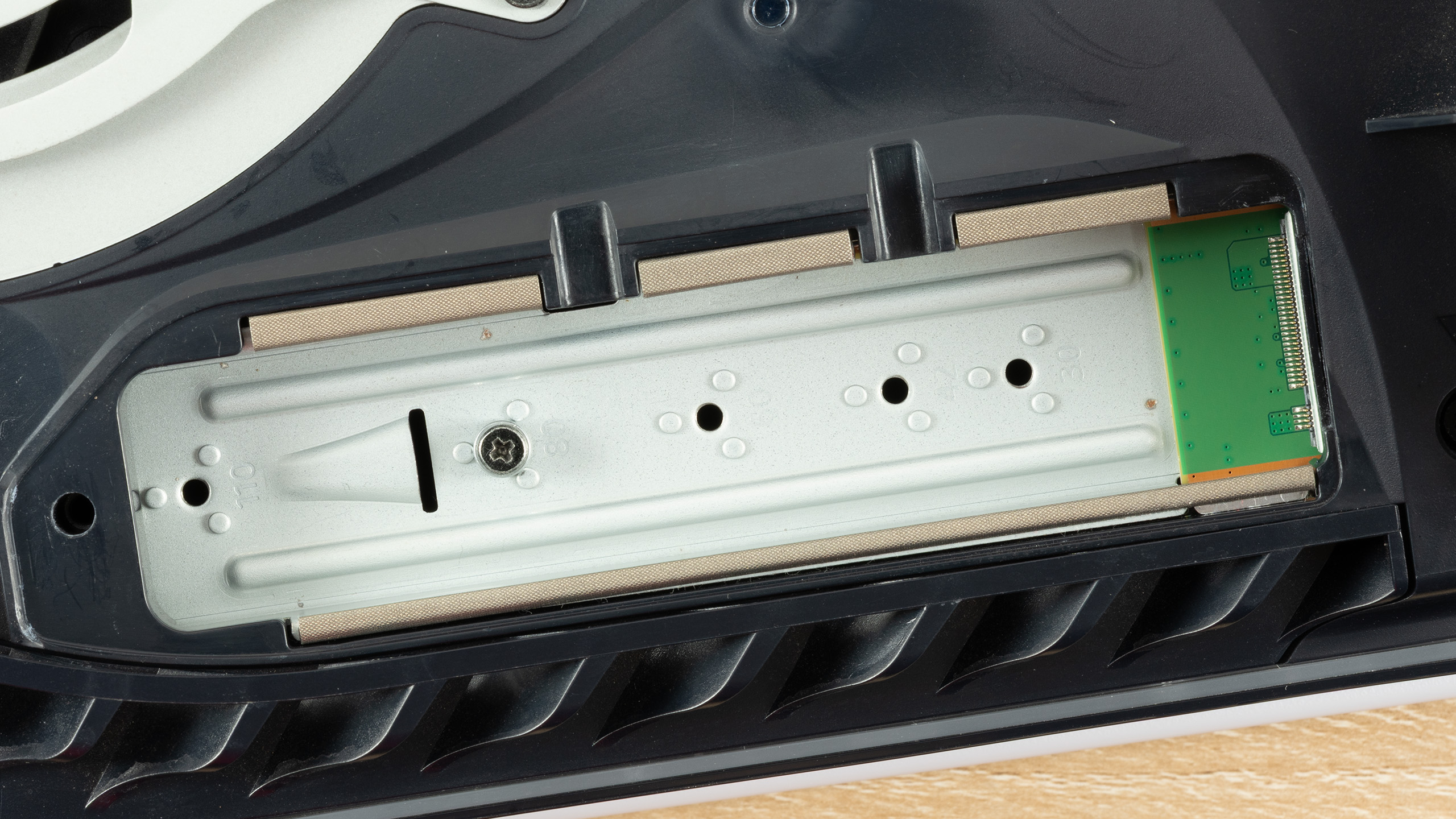
With the same #1 Phillips screwdriver you used earlier, remove the screw and spacer from the expansion slot. Next, check your SSD to determine its form factor. The PlayStation 5 supports the following M.2 SSD form factors: 2230, 2242, 2260, 2280, and 22110. Relocate the spacer to the correct position in the slot that matches the length of your SSD.

5. Install the M.2 SSD into the expansion slot.

How to install PS5 SSD in 2026
Tom's Hardware
How to install PS5 SSD in 2026
Tom's Hardware

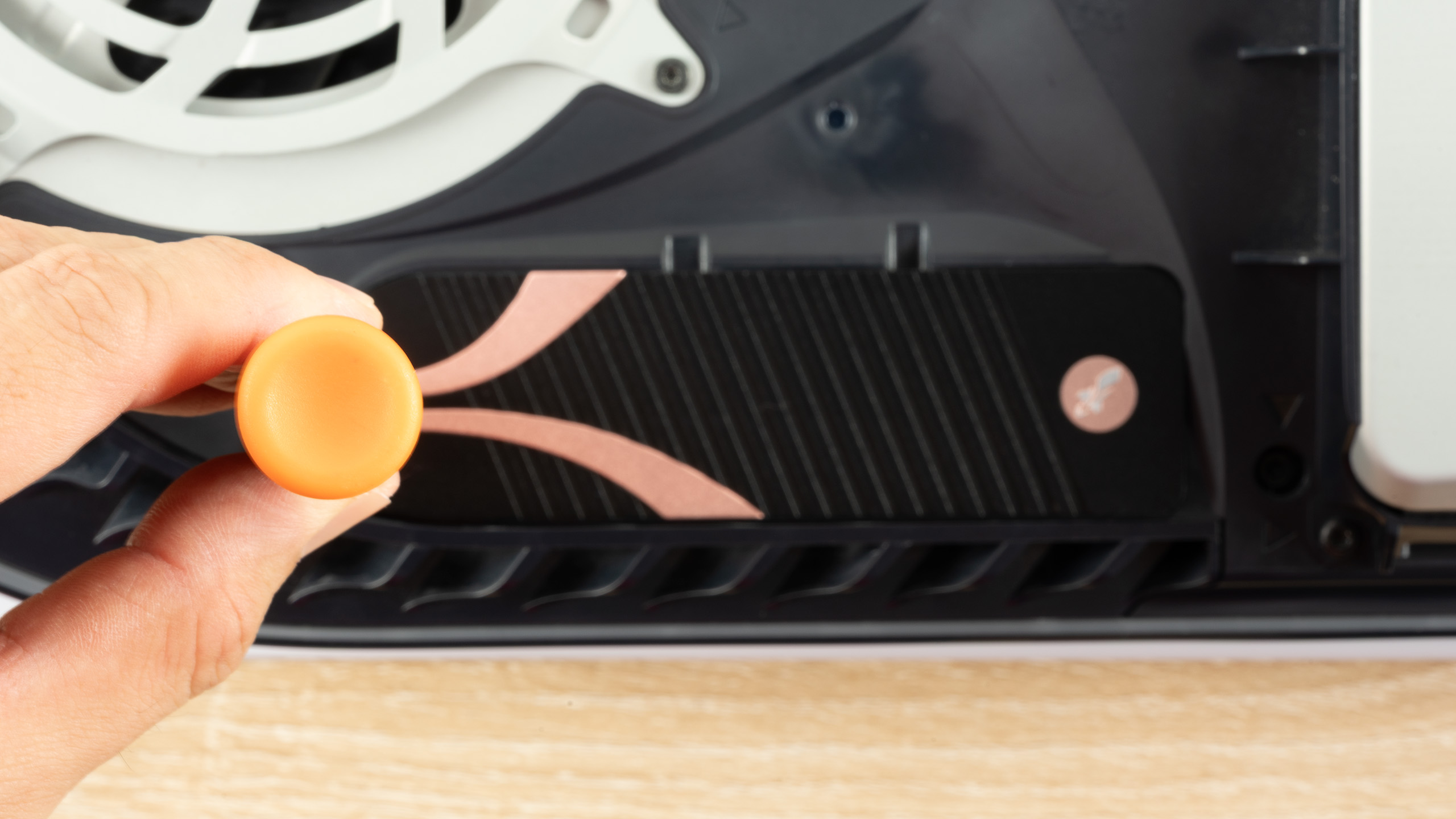
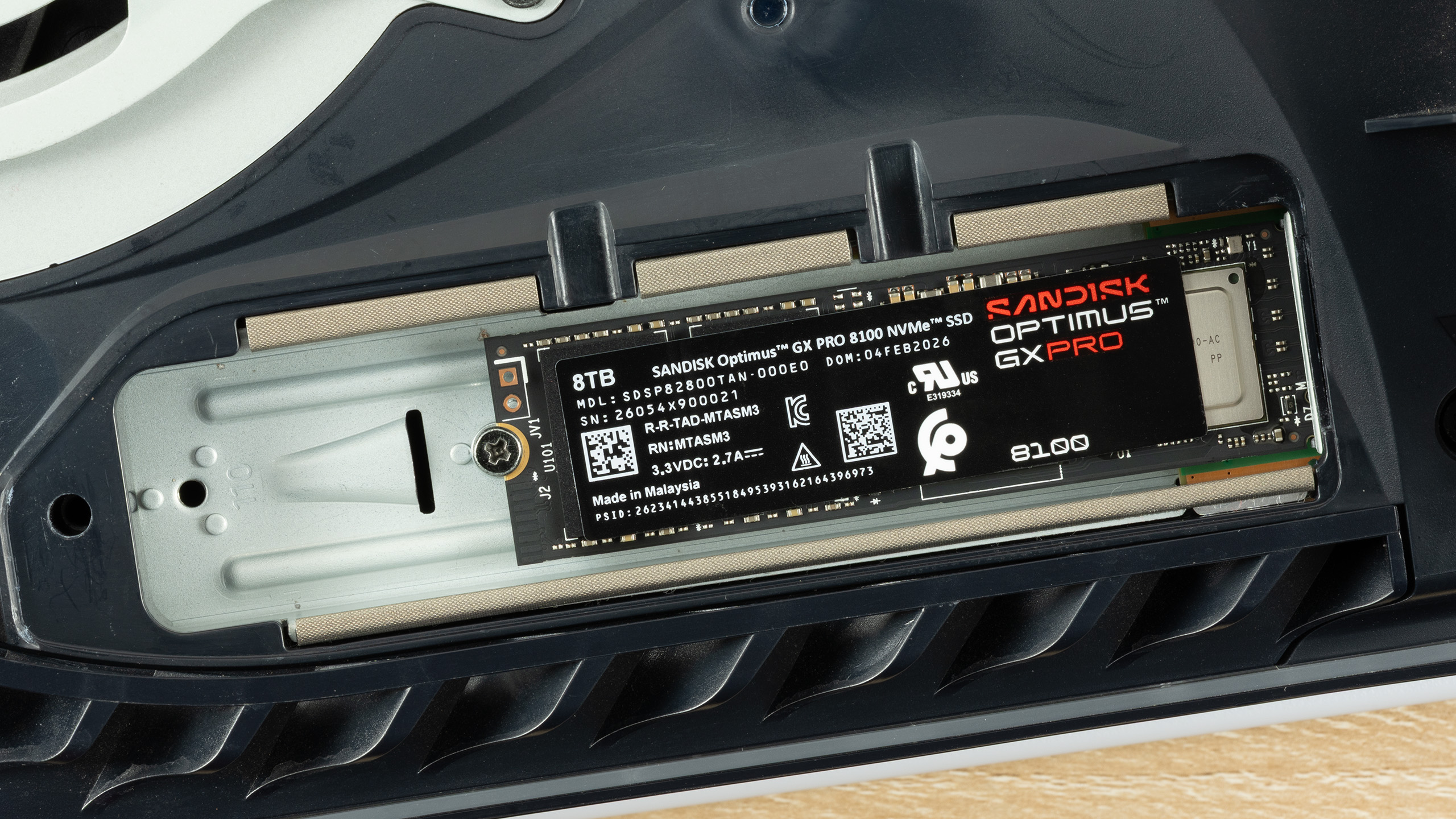
Align the notches on the SSD with the slot in the M.2 connector on your PlayStation 5. Tilt the SSD at a 30-degree angle and gently insert it into the connector. Once the SSD is securely in place, press it down with your thumb. Fasten the drive in place using the screw you previously removed. Do not overtighten the screw as this may damage the drive or the expansion slot.

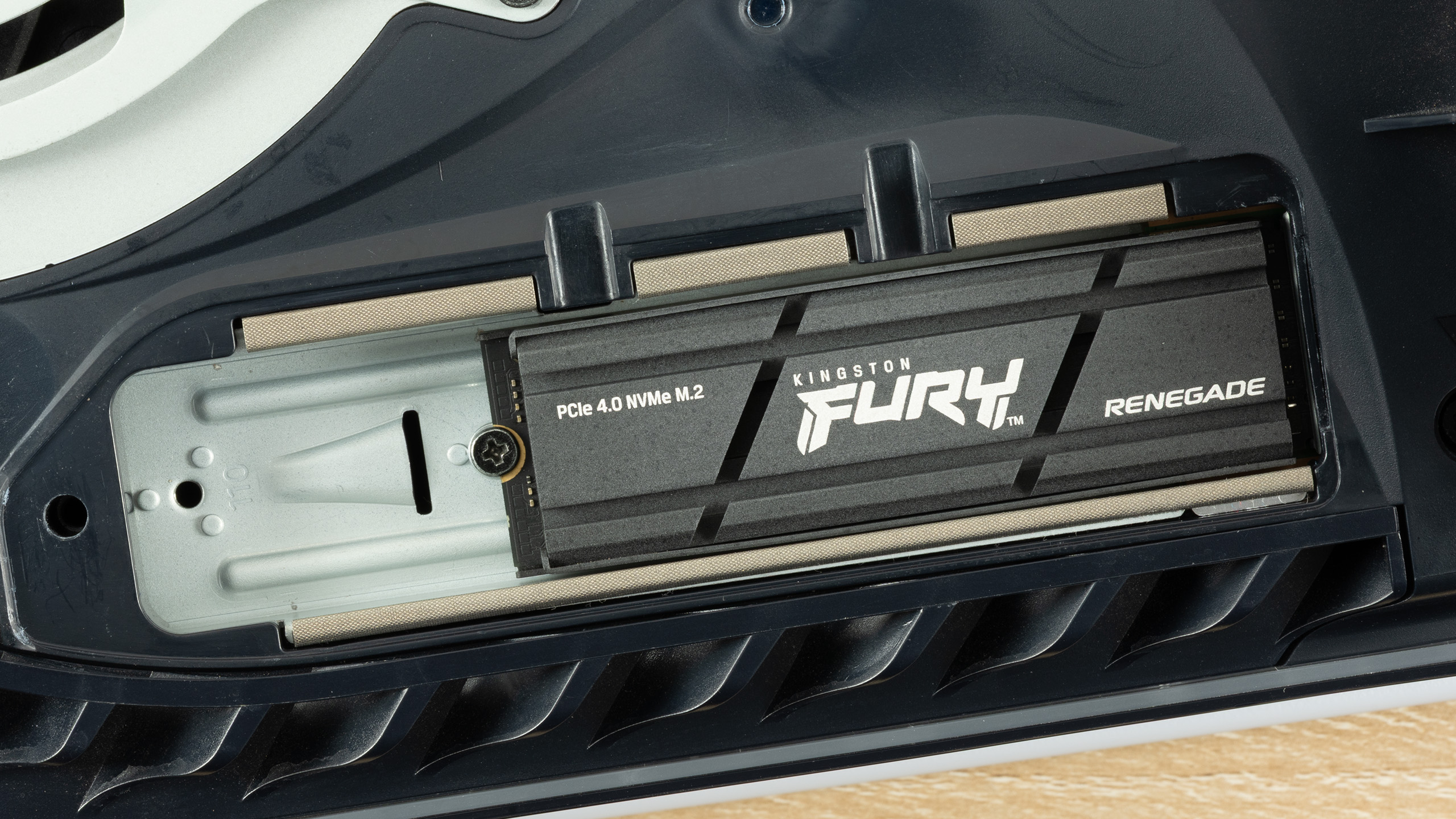
Sony does not include a heatsink for M.2 SSDs in the PlayStation 5. There are many SSDs with PlayStation 5-compliant heatsinks on the market. Sony specifies a maximum thickness of 0.44 inches (11.25 mm) for the SSD including the heatsink.

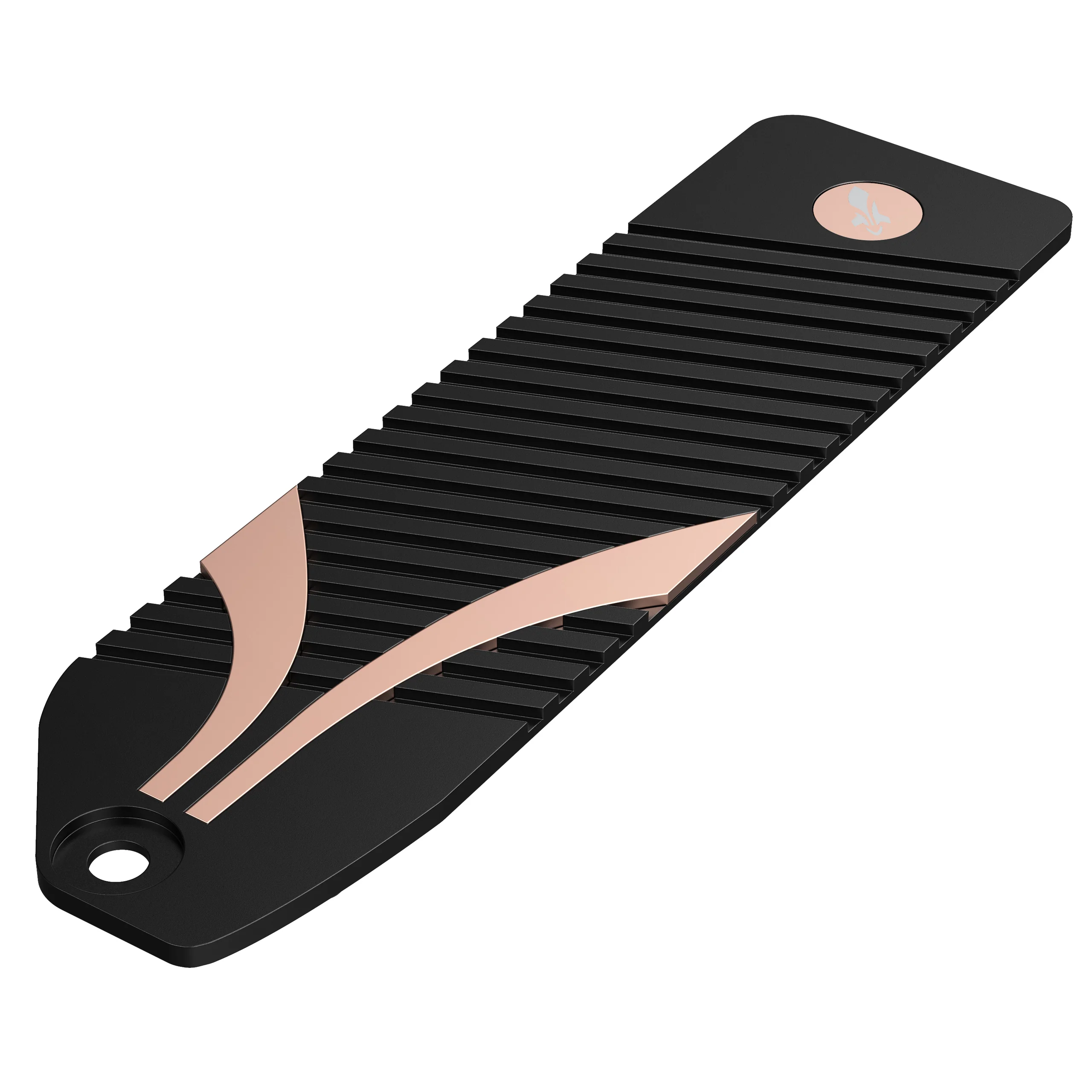
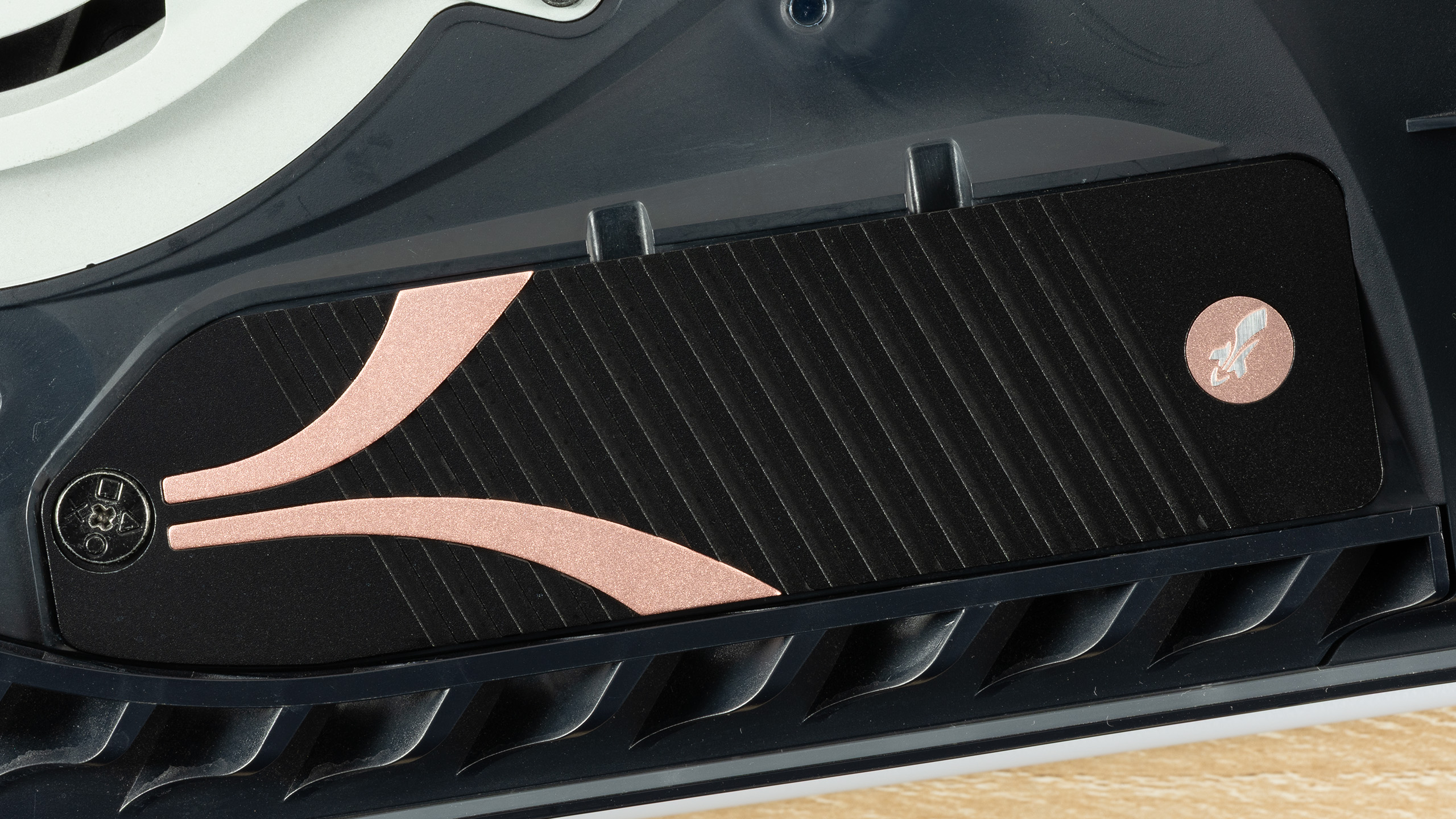
However, if you go with a bare M.2 drive, you will have to pick up an aftermarket heatsink, such as the Sabrent M.2 NVMe PS5 Heatsink (SB-PSHS) for $13.99. Before purchasing any heatsink, double-check that it is fully compatible with your PlayStation 5 model.

M.2 NVMe PS5 Heatsink: $13.99
The Sabrent M.2 PS5 heatsink is made of high-quality CNC aluminum that features the company's "sandwich" design for maximum heat dissipation.View Deal

6. Install an aftermarket heatsink, when applicable, on the SSD.

How to install PS5 SSD in 2026

(Image credit: Tom's Hardware)

Tilt the heatsink at a 30-degree angle, just as you did with the SSD, and align the notches on the heatsink with the corresponding space. Insert it into position so that it sits flush over the SSD. Use one finger to apply a little bit of downward pressure to keep the heatsink in contact with the SSD, then tighten the screw. Reinstall the cover, and you are almost home free.

7. Format the SSD.

How to install PS5 SSD in 2026

(Image credit: Tom's Hardware)

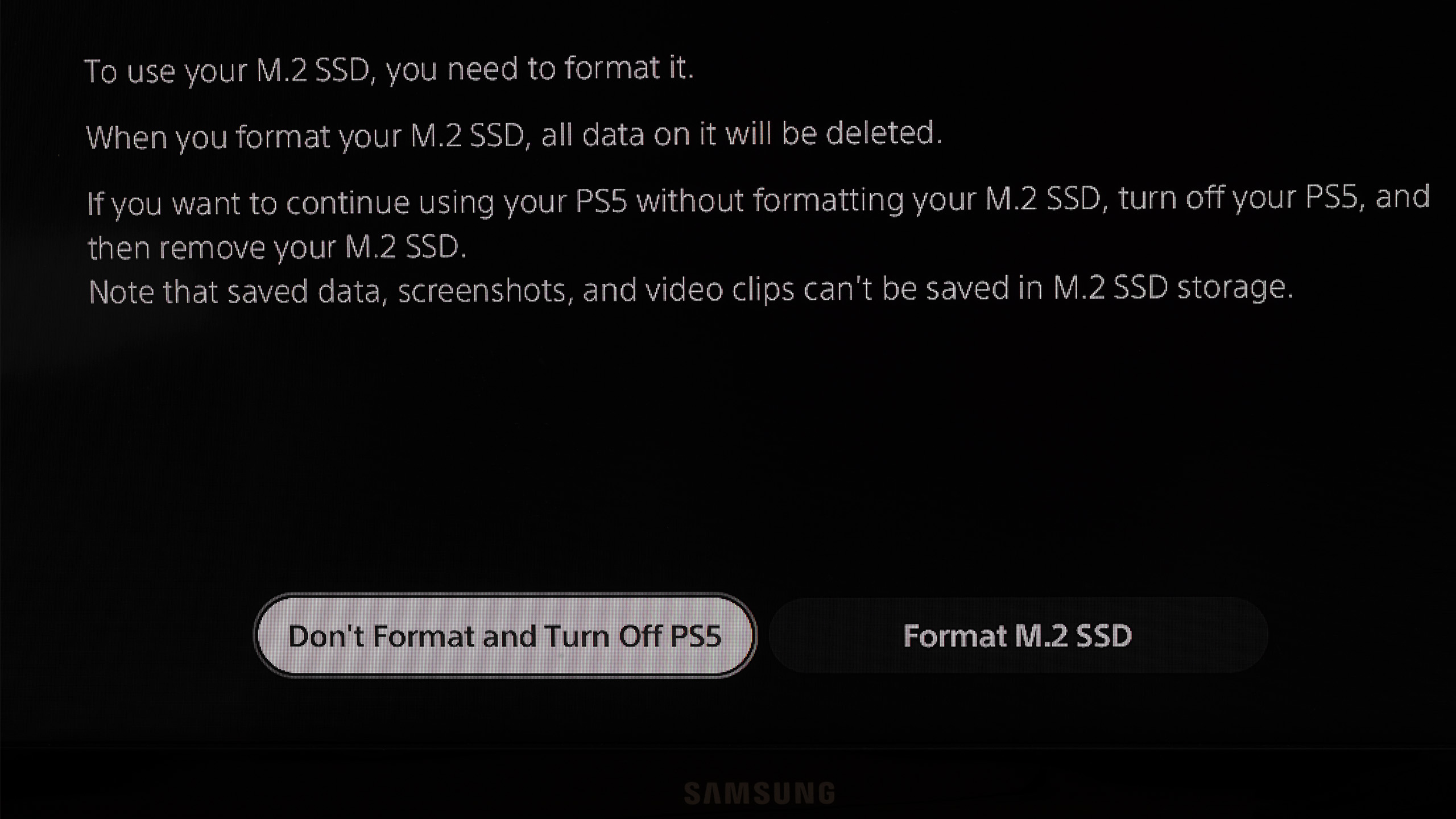
Reconnect all the cables and power on your console. Upon startup, your PlayStation 5 will automatically detect the new SSD. A prompt will appear on the screen, instructing you to format the SSD before you can use it for game installations or data storage.

With your brand-new SSD installed and properly formatted, you are now ready to enjoy the latest AAA games on your PlayStation 5 without having to worry about storage constraints ever again.

  •  

Chinese supercomputer manufacturer reveals the 'world's first' 64-thread mobile workstation for AI — homegrown CPU paired with mystery GPU with 16GB of VRAM promises cloud-level performance

Names like Sugon or Hygon may not appear on lists of the best CPUs since they often fly under the radar. However, that does not mean they are not making substantial strides in China. According to the latest ITHome report, Sugon has recently teased an upcoming mobile workstation (MWS) designed to push the boundaries of AI performance. The next-generation device boasts a powerful domestic 64-thread processor paired with 16GB of VRAM, a combination that delivers up to 50 tokens per second on local 35B MoE AI models.

Sugon’s device is closer to a traditional laptop form factor rather than those pseudo-portable workstations we have seen over the years that look more like a desktop stuffed inside a suitcase. The mobile workstation is 0.665 inches (16.9 mm) thick, so it is right in line with the thin and lightweight premium laptop category, only slightly thicker than ultrabooks.

Sugon, a prominent Chinese supercomputer manufacturer, does not actually produce processors. Last year, Sugon attempted to merge with Hygon, which originated from a joint venture between AMD and Chinese partners, in hopes of creating a domestic server superpower to rival global giants such as HPE and Dell, but the deal did not go through. Nonetheless, the failed merger did not alter the already close relationship between Sugon and Hygon, with the former already being the latter's largest shareholder.

Sugon did not officially disclose which processor will power the mobile workstation. However, the manufacturer will likely source it from its long-time partner, Hygon. Sadly, knowing the chip has 64 threads does not give us a complete picture of which processor model is inside Sugon's device. For several years, Hygon has offered processors with designs up to 32 cores and 64 threads. Four generations of Hygon chips, spanning from the C86-1G to the C86-4G series, leveraged licensed Zen IP from AMD.

Alternatively, Sugon’s mobile workstation may tap Hygon's latest C86-5G chips. These processors are particularly interesting because Hygon claims they utilize a “new self-developed microarchitecture,” signaling the departure from AMD's Zen microarchitecture. The new C86-5G series, which supports AVX-512, features a four-way simultaneous multithreading (SMT4) configuration, or in other words, four threads per core. If Sugon’s mobile workstation is indeed equipped with one of these chips, it would likely be a 16-core, 64-thread configuration that could provide decent processing power for AI.

The small teaser specifically highlights the inclusion of 16GB of VRAM. The small detail clearly indicates the mobile workstation will come equipped with a discrete graphics card instead of integrated graphics. According to the vendor, the combination of the 64-thread processor and the mysterious 16GB discrete graphics card will deliver AI inference performance that is between 3X and 5X faster than mainstream products currently available on the market.

The performance figures being thrown around are up to 50 tokens per second when running a massive 35-billion-parameter Mixture of Experts (MoE) model locally. By comparison, standard cloud APIs typically offer throughput ranging from 30 to 80 tokens per second. If Sugon can deliver on its promise, its mobile workstation could be a true game-changer for AI workloads.

Sugon has not revealed the availability or pricing for the forthcoming mobile workstation. Given the current pricing for memory and storage products, we expect the mobile workstation to cost a small fortune.

  •